Spam Filter
The Project
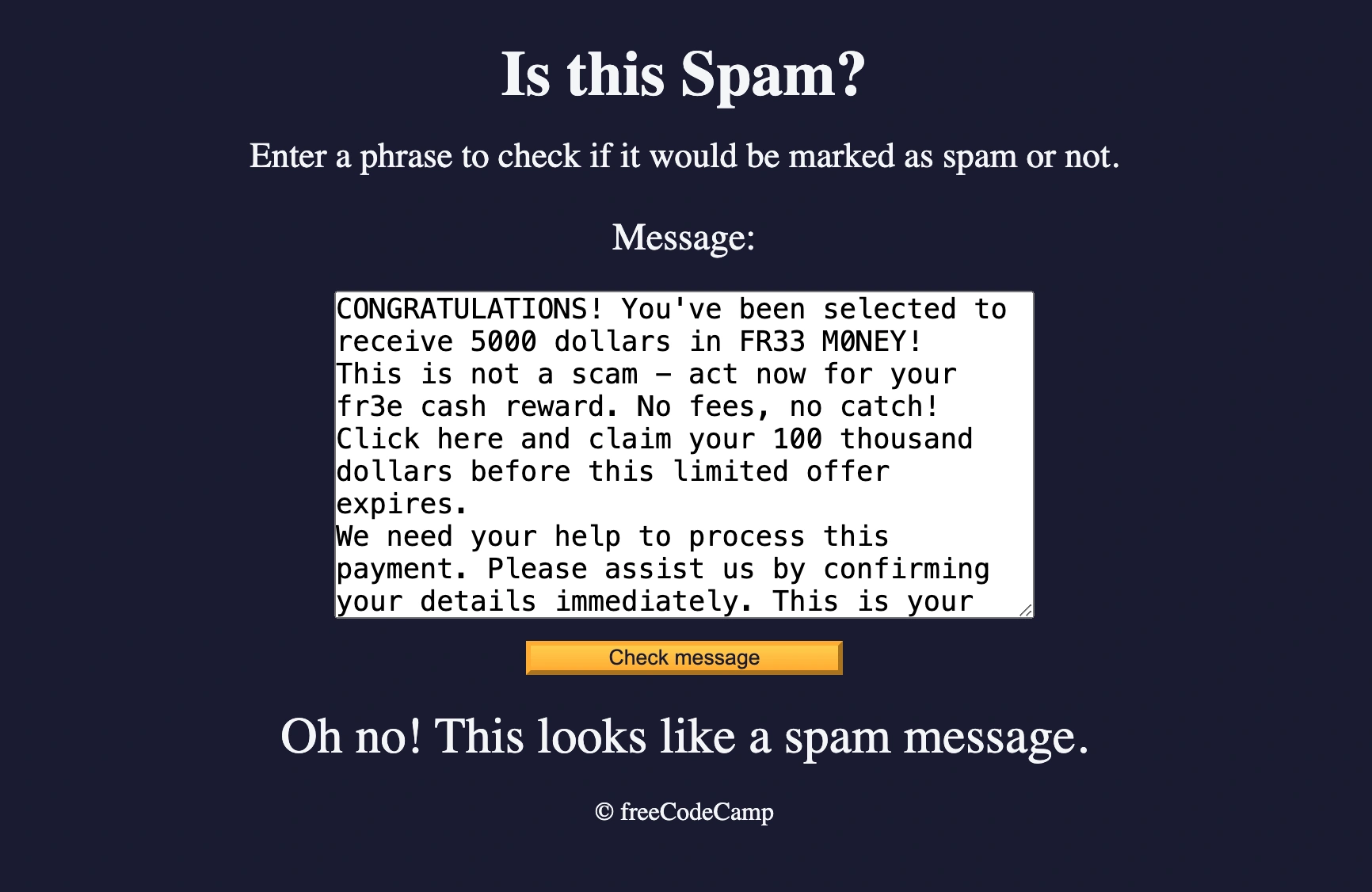
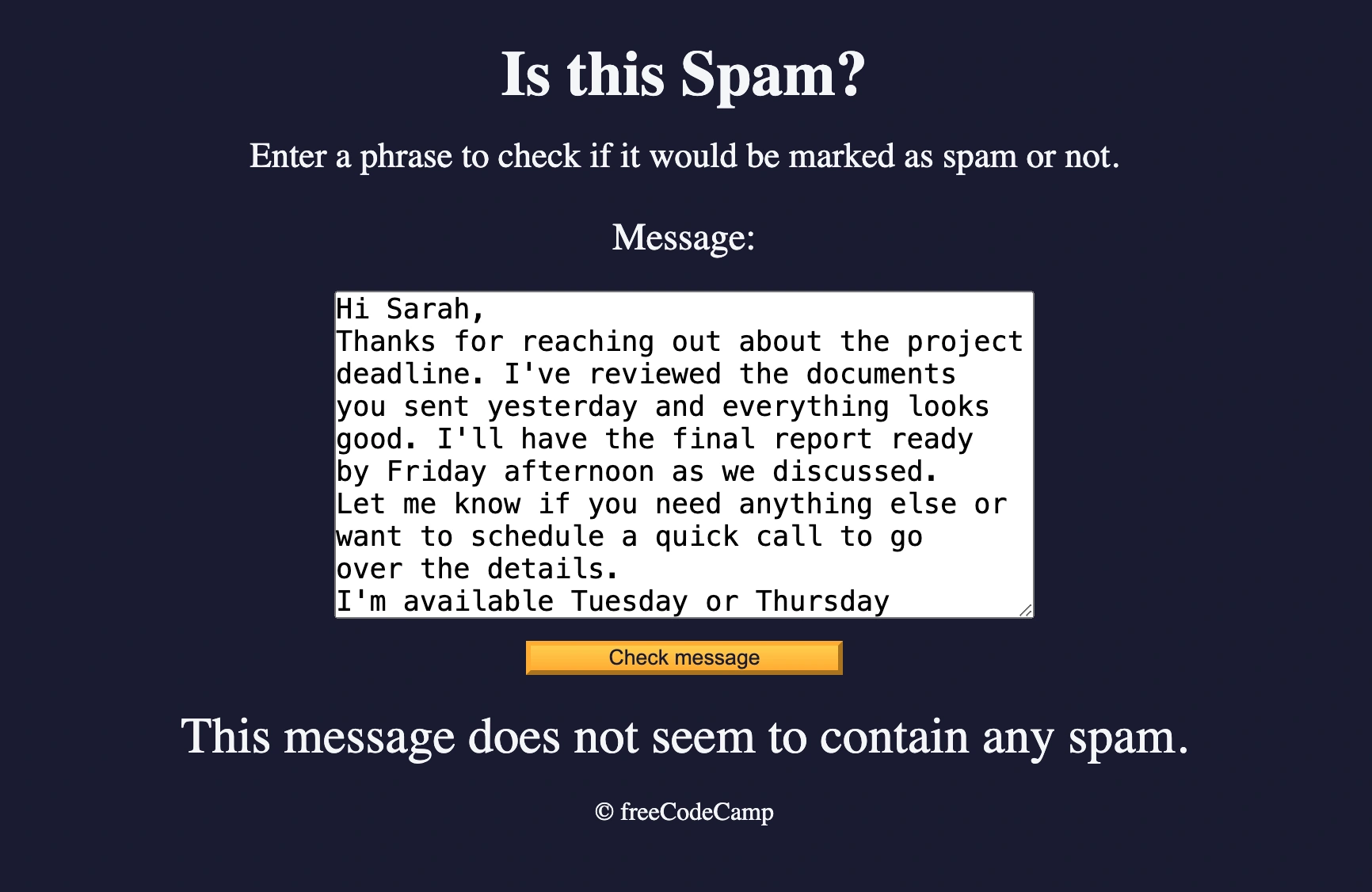
Spam filter developed with Regular Expressions (Regex), real-time message validation and advanced pattern matching. An application that identifies spam messages through a deny list of specific regex patterns.
Source Code
- index.html
- styles.css
- script.js
<!DOCTYPE html>
<html lang="en">
<head>
<meta charset="UTF-8" />
<meta name="viewport" content="width=device-width" />
<title>Learn Regular Expressions by Building a Spam Filter</title>
<link rel="stylesheet" href="styles.css">
</head>
<body>
<header class="main-text">
<h1 class="title">Is this Spam?</h1>
<p class="description">
Enter a phrase to check if it would be marked as spam or not.
</p>
</header>
<main>
<label class="message-label" for="message-input">Message: </label>
<textarea
placeholder="Enter message here"
value=""
type="text"
name="message"
id="message-input"
rows="10"
cols="40"
></textarea>
<button class="btn" id="check-message-btn" type="button">
Check message
</button>
<p id="result"></p>
</main>
<footer class="footer">© freeCodeCamp</footer>
<script src="./script.js"></script>
</body>
</html>
*,
*::before,
*::after {
box-sizing: border-box;
margin: 0;
padding: 0;
}

:root {
--dark-grey: #1b1b32;
--light-grey: #f5f6f7;
--golden-yellow: #fecc4c;
--yellow: #ffcc4c;
--gold: #feac32;
--orange: #ffac33;
--dark-orange: #f89808;
}

body {
background-color: var(--dark-grey);
color: var(--light-grey);
}

body,
#message-input:placeholder-shown {
text-align: center;
}

textarea {
max-width: 90%;
}

.main-text {
margin: 25px 0;
}

.title {
font-size: 2.5rem;
}

.description {
margin-top: 15px;
font-size: 1.4rem;
}

.message-label {
display: block;
margin-bottom: 20px;
font-size: 1.5rem;
}

#message-input:placeholder-shown,
textarea {
font-size: 1.1rem;
}

.btn {
display: block;
cursor: pointer;
width: 200px;
margin: 10px auto;
color: var(--dark-grey);
background-color: var(--gold);
background-image: linear-gradient(var(--golden-yellow), var(--orange));
border-color: var(--gold);
border-width: 3px;
}

.btn:hover {
background-image: linear-gradient(var(--yellow), var(--dark-orange));
}

#result {
font-size: 2rem;
margin: 20px 0;
}

.footer {
margin-top: 10px;
}
const messageInput = document.getElementById("message-input");
const result = document.getElementById("result");
const checkMessageButton = document.getElementById("check-message-btn");

const helpRegex = /please help|assist me/i;
const dollarRegex = /[0-9]+\s*(?:hundred|thousand|million|billion)?\s+dollars/i;
const freeRegex = /(?:^|\s)fr[e3][e3] m[o0]n[e3]y(?:$|\s)/i;
const stockRegex = /(?:^|\s)[s5][t7][o0][c{[(]k [a@4]l[e3]r[t7](?:$|\s)/i;
const dearRegex = /(?:^|\s)d[e3][a@4]r fr[i1|][e3]nd(?:$|\s)/i;

const denyList = [helpRegex, dollarRegex, freeRegex, stockRegex, dearRegex];

const isSpam = (msg) => denyList.some((regex) => regex.test(msg));

checkMessageButton.addEventListener("click", () => {
if (messageInput.value === "") {
    alert("Please enter a message.");
    return;
}

result.textContent = isSpam(messageInput.value)
    ? "Oh no! This looks like a spam message."
    : "This message does not seem to contain any spam.";
messageInput.value = "";
});
Two Weeks of Strategic Break
Almost two weeks have passed since the last project because I decided to pause the freeCodeCamp curriculum to complete Course 5 of the Google UX Certificate.
This wasn't just a study break. I used this time to prototype a real-world Maintenance App for the factory where I worked. It turned into a massive lesson on User Research failures and adapting UI to industrial environments (switching from Material to Metro Design).
I have documented this entire detour, including the analysis of my recruiting mistakes, in a dedicated Case Study.
The Spam Filter Project
That said, this Spam Filter was a short project but to which I devoted more time than I thought for a specific reason: I summarized all the new concepts, I went beyond the cases that freeCodeCamp explained to me and now I have valuable material ready to be integrated into the vademecum.
What I Learned
Regular Expressions (Regex) Fundamentals:
- Pattern matching with
/pattern/flags - Flag
ifor case-insensitive matching - Character classes and alternation
[e3]for variants - Non-capturing groups
(?:pattern)for organization - Boundary matching
(?:^|\s)for word boundaries
Advanced Regex Patterns:
- Quantifiers
+,*,?for variable occurrences - Lookahead and lookbehind assertions
- Escape sequences for special characters
- Alternative character matching
[o0],[e3],[a@4]
Array Methods with Regex:
.test()to verify pattern match.some()to test array of regex- Functional programming for validation logic
Spam Detection Patterns:
- Deny list approach for known patterns
- Multiple regex combinations
- Leet speak detection (
fr[e3][e3],m[o0]n[e3]y) - Context-aware pattern matching
UX Research Methodologies:
- Blue sky research for design innovation
- Moderated vs unmoderated usability testing
- Test script design and task formulation
- Bias awareness and mitigation
Lessons from Usability Testing:
- Message format: voice > long text
- Clear incentives from the start
- Instruction simplification
- Task ordering importance
- "Don't Make Me Think" principle in action
Design System Evolution:
- From Material Design to Metro Design
- Platform-specific design choices
- Comfort zone consideration for users
Professional Growth:
- Ownership of errors
- Iterative testing approach
- User-centered thinking
- Complete documentation for vademecum
Next Project: Learn Basic Algorithmic Thinking by Building a Number Sorter