Toggle Text App
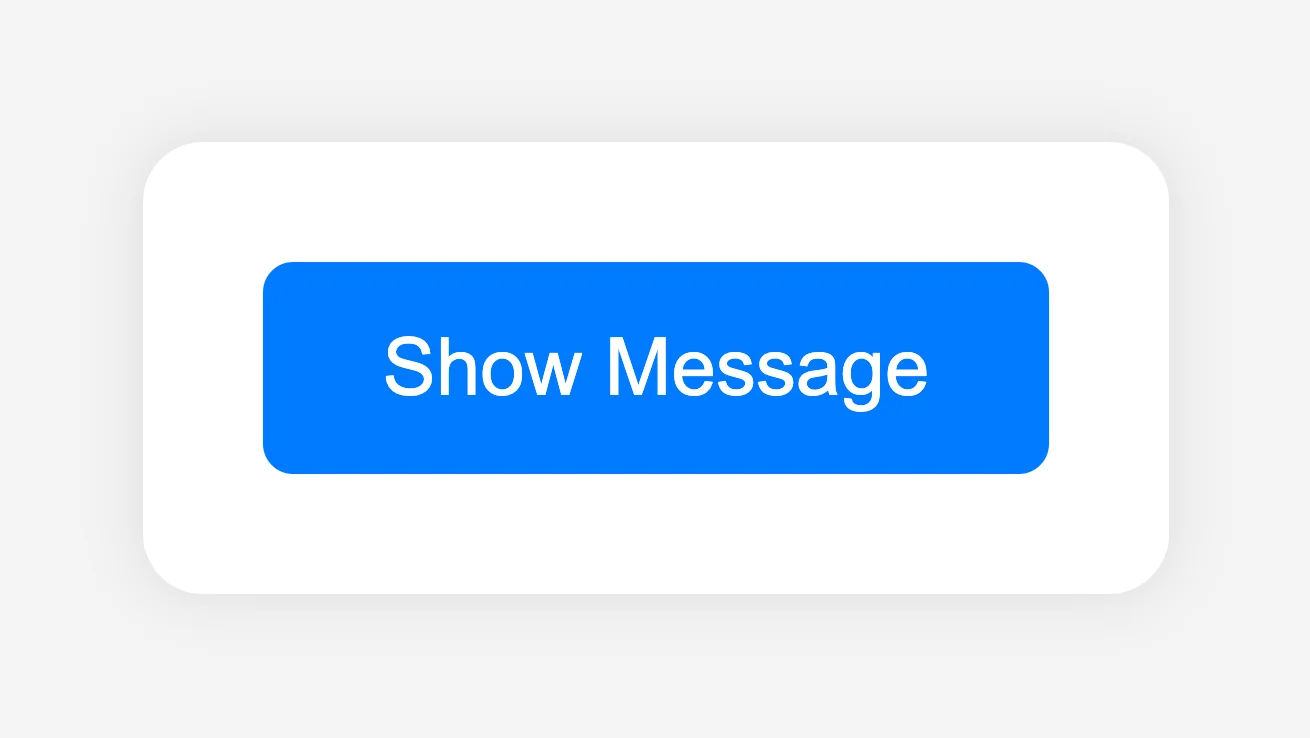

The Project
Toggle Text App developed with React and Functional Components, focused on reactive state management and conditional rendering. An application that abandons the classic imperative approach to demonstrate the declarative UI update cycle (Trigger, Render, Commit) and data immutability without direct DOM manipulation.
Source Code
- index.jsx
- index.html
- styles.css
const { useState } = React;

export const ToggleApp = () => {
  const [isVisible, setIsVisible] = useState(false);

  const handleToggleVisibility = () => {
    setIsVisible(!isVisible);
  }

  return (
    <div id="toggle-container">
      <button onClick={handleToggleVisibility} id="toggle-button">{isVisible ? "Hide Message" : "Show Message"}</button>
      {isVisible && <p id="message">I love freeCodeCamp!</p>}
    </div>
  );
};
<!DOCTYPE html>
<html>
<head>
  <meta charset="UTF-8" />
  <title>Toggle Visibility</title>
  <script src="https://cdnjs.cloudflare.com/ajax/libs/react/18.3.1/umd/react.development.min.js"></script>
  <script src="https://cdnjs.cloudflare.com/ajax/libs/react-dom/18.3.1/umd/react-dom.development.min.js"></script>
  <script src="https://cdnjs.cloudflare.com/ajax/libs/babel-standalone/7.26.5/babel.min.js"></script>
  <script
    data-plugins="transform-modules-umd"
    type="text/babel"
    src="index.jsx"
  ></script>
  <link rel="stylesheet" href="styles.css" />
</head>
<body>
  <div id="root"></div>
  <script
    data-plugins="transform-modules-umd"
    type="text/babel"
    data-presets="react"
    data-type="module"
  >
    import { ToggleApp } from "./index.jsx";
    ReactDOM.createRoot(document.getElementById("root")).render(<ToggleApp />);
  </script>
</body>
</html>
body {
  font-family: Arial, sans-serif;
  display: flex;
  justify-content: center;
  align-items: center;
  height: 100vh;
  background-color: #f4f4f4;
}

#toggle-container {
  text-align: center;
  background: white;
  padding: 20px;
  border-radius: 10px;
  box-shadow: 0 0 10px rgba(0, 0, 0, 0.1);
}

#toggle-button {
  padding: 10px 20px;
  border: none;
  background: #007BFF;
  color: white;
  border-radius: 5px;
  cursor: pointer;
  transition: background 0.3s ease;
}

#toggle-button:hover {
  background: #0056b3;
}

#message {
  margin-top: 20px;
  font-size: 1.125rem;
  color: #333;
}
This exercise got me thinking deeply, not on the exercise itself, but on the theoretical part.
Beyond the lessons and review quizzes freeCodeCamp asked me to complete to finish the React Fundamentals module, I had to tackle the section: "Working with State and Responding to Events in React".
My mind turned to React Native. I've felt for months now that my main area of interest is developing for mobile devices, since almost all my ideas naturally spring up thinking about the mobile world. So I asked myself, to adjust the course of my path, how many of the React skills for the web will come in handy when I start development in React Native. I don't currently consider learning Swift UI or Kotlin precisely because React Native allows me to create cross-platform apps; I think an idea shouldn't discriminate between who has an iPhone and who has an Android.
The Mobile "Dialect"
It gave me great motivation to read that the absolutely most difficult part (Logic and State) will be identical. I find it extremely efficient because I'll be able to create a website or an application with near-native performance using the same concepts, simply adapting to the mobile "dialect". It's like learning a language and then having to learn a dialect of it, but not even a heavy one.
This table summarizes the concept perfectly:
| Concept | React (Web) | React Native (Mobile) | Transfer Percentage |
|---|---|---|---|
| Logic & State | useState, useEffect | Identical | 100% |
| Structure (JSX) | <div>, <span>, <button> | <View>, <Text>, <Pressable> | 0% (Must learn new tags) |
| Styling | Classic CSS, Tailwind, Grid | Flexbox Only (StyleSheet objects) | 80% (Flex logic is identical) |
| Events | onClick, onChange | onPress, onChangeText | 90% (Change only the name) |
| Navigation | URL (react-router) | Stack/Tab (react-navigation) | 50% (No URLs, they are stacks) |
| Scroll | Automatic | <ScrollView> or <FlatList> | 0% (Must state it explicitly) |
| Browser API | document, window | Don't exist. Use Native APIs | 10% (Different environment) |
Hypotheses and Code Tutor Answers
I was skeptical about the real parity between platforms: I struggled to believe the integration was so transparent, it seemed too good to be true. So I bombarded the Code Tutor with technical questions: was my estimate of 10% of code to be written specifically to handle differences between iOS and Android realistic? I supposed that margin was needed to manually handle critical aspects like memory allocation. Finally, how scalable is a React Native app really compared to a native counterpart in Swift or Kotlin? Here are the key answers I received:
1. The 90/10 Rule
The hypothesis of 10% specific code proved to be pessimistic (often it's 5%).
The business logic is 100% shared. The UI is 95% shared (React translates <View> into native counterparts). The rest is managed with simple checks like Platform.OS === 'ios'.
2. Performance: The "Bridge" has collapsed (and that's a good thing)
I feared the "Bridge" bottleneck. Indeed, until recently, JavaScript and the Native System communicated like two strangers through an interpreter: every command had to be transcribed into a message (serialized into JSON), sent, and translated on the other side. A slow and asynchronous process.
I discovered that with the New Architecture (JSI and Fabric), the interpreter has been removed. Thanks to JSI, JavaScript can now communicate directly with the device's C++ memory. No need to package and ship data anymore: JavaScript invokes native functions instantly, as if they were its own functions. Today, the fluidity is such that it makes the app indistinguishable from a native one for 99% of use cases.
3. Scalability and Real Limits
React Native isn't just for prototypes. Meta (Instagram), Microsoft (Office), Shopify, Discord, and Tesla use it. If it holds up to Instagram's load, it will hold up to any app I have in mind.
React Native "loses" against pure native (Swift/Kotlin) or C++ only in extreme cases: heavy 3D games, real-time Audio/Video processing, or heavy AR. For everything else, React Native is suitable and wins on development speed.
React: A Highly Efficient Bureaucratic Office
In the lessons, I got to learn Hooks and admire the absolute efficiency of React compared to vanilla JavaScript. I discovered that React isn't just a simple library, but a highly efficient bureaucratic office, but one of those that actually works: no lines, no lost paperwork, maximum efficiency.
I think I'll describe it exactly in these terms in the Vademecum, here's why:
1. The Trigger (The Request)
It all starts with a trigger, like setCount. It's like calling the waiter at a restaurant. React notes that data is stale and schedules the update (often doing "Batching", i.e., waiting a few milliseconds in case other orders arrive, to make just one trip).
2. The Render Phase (The Planning - The Invisible Calculation)
This is the most misunderstood phase. React calls the function, creates a New Virtual DOM, and it's like playing "Spot the differences" (Diffing) with the old one.
In this phase, the user sees nothing. All work happens in RAM. If the app is slow here, it means I put calculations that were too heavy right in the management of this phase.
3. The Commit Phase (The Execution)
Only now does React touch the Real DOM. Since it calculated exactly what changed in the previous phase, it performs a very precise operation: it changes only the text inside the h1, without redrawing everything else.
I also discovered that SwiftUI and Jetpack Compose have copied this approach. Until 2019, native development was anchored to the imperative paradigm: the programmer had to act like a micro-manager, manually ordering every single change (Find label X, change text, then change color). Today, Apple and Google have totally embraced the declarative philosophy introduced by React: you no longer give orders to the UI, but describe how it should appear based on state. Basically, React's efficient bureaucracy won.
The CSS Dilemma: Craftsmanship vs. Industry
Another thing that made me reflect, leaving me dissatisfied, was the issue of Tailwind and CSS Frameworks. I've always belonged to the category of people who read books from beginning to end. Yet I questioned this approach in the context of courses: looking at the "Front End Development Libraries" syllabus, I wondered how much sense it made to do the module on CSS libraries.
I asked myself this after watching two videos by Salvatore San Filippo. I find myself in perfect agreement with his philosophy, which goes beyond the concept of Tailwind and touches on libraries in general. We can summarize it in 3 points:
- The Involution: We destroyed the semantics of the Web (simple HTML + powerful CSS) to create a monster of complexity (React, Components, nested divs).
- The "Patch": Tailwind and CSS frameworks aren't "advanced technology", they are just a patch we put over this monster to make it manageable.
- The AI: AI doesn't need shortcuts, it can write pure CSS perfectly. So, if AI writes the code, the utility of a "shorthand" like Tailwind collapses.
In regard to this last point, it was exactly what I described in the first React project (Navbar):
"I wonder how much sense all this syntactic sugar will make in an era where AI will write the vast majority of code. Will there still be a need for these 'shortcuts'? I fear syntactic sugar will serve only to make code readable to humans, not machines."
I find it incredible how we reached the same conclusion; I had only added the readability issue which in my opinion (at least for now) is important to understand what the AI actually wrote.
Anyway, I investigated. I never follow anyone blindly (aware that authority bias is always a risk), but I wanted to deeply understand the opposing point of view. I realized his vision defends web craftsmanship, not the industry. And that's exactly what I've done until today: treating my projects like handcrafted artifacts.
Here is the Code Tutor's analysis of my CSS:
Craftsmanship vs IKEA: Your code is clean, architected with care (variables in :root, precise calculations). It's like a custom-made piece of furniture. Tailwind is IKEA. It's standardized, fast, modular. It doesn't have the "soul" of your code, but you assemble the room in 10 minutes instead of 10 days.
I foresee an initial shock in using it: I'll lose the semantic narrative (no more classes like .window-top-separator) and I'll have to abandon "magic values" (like 377.702px) for a standard scale.
However, I understand the industrial advantage: no more struggle naming variables and a tailwind.config.js that acts like a :root.
An interesting thing, though, is that Tailwind isn't just shorthand, it's also a system of constraints. I seem to understand I'll work with values like p-4 instead of padding: 17px, accepting a predefined scale that forces consistency. AI (however increasingly precise) might write padding: 17px in one component and padding: 18px in another. A system like Tailwind (or a design token system) prevents all this even in assisted programming, as Salvatore calls it.
I can't side with one or the other. I understand how much more beautiful the artisanal approach was and how the industry managed to destroy this art to standardize. It was what I tried to do with comments and centralization in root, but I understand that in an extended team it's not efficient, however wonderful I continue to find that approach.
What I Learned
React Fundamentals:
- Conditional Rendering Short-circuit:
{isVisible && <p>...}eliminates if/else blocks for conditional UI rendering. - Batching: React groups state updates for a single render cycle (efficiency).
Architecture:
- Trigger → Render → Commit: Distinguishing the trigger, the Virtual DOM calculation (invisible to the user), and the surgical update of the real DOM.
- React as Industry Standard: SwiftUI and Jetpack Compose copied this declarative model after 2019.
Cross-Platform Strategy:
- 90/10 Rule: Business logic is 100% shared between Web and Native; only the UI changes "dialect" (from
<div>to<View>). - New Architecture (JSI): React Native is no longer limited by the JSON Bridge — near-native performance for 99% of use cases.
Philosophy:
- Craftsmanship vs IKEA: Tailwind sacrifices semantics for industrial speed; AI will make many "human shortcuts" obsolete.
- Design Tokens vs Magic Values: Constraint systems (
p-4vspadding: 17px) prevent inconsistencies even in assisted programming.
Next: Build a Color Picker App (Lab)
P.S. This is my last week of work at the factory. I handed in my resignation to dedicate myself totally to this path. The die is cast.