Role Playing Game
The Project
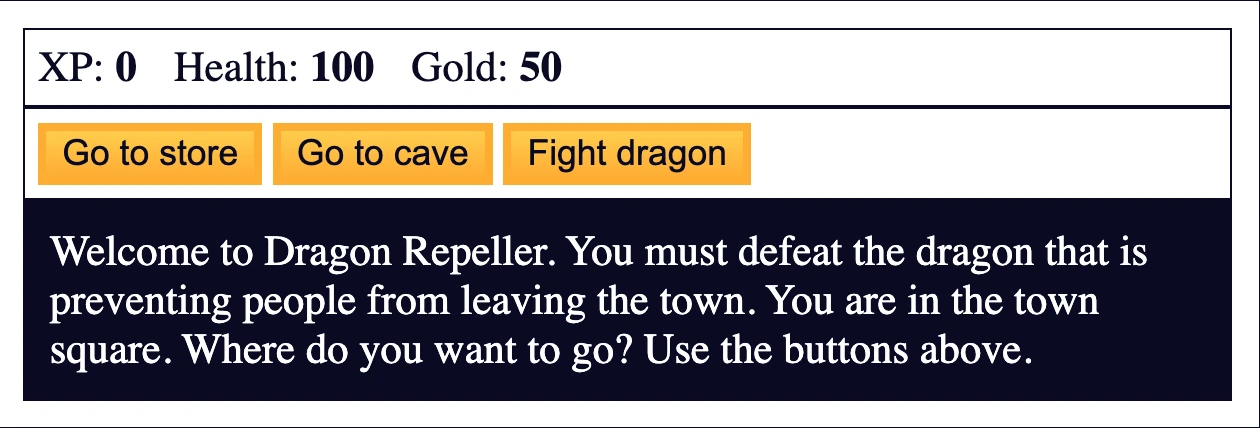
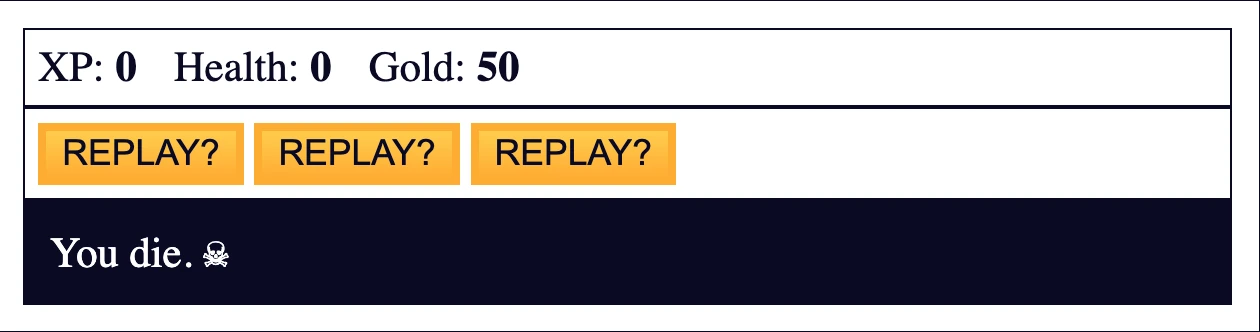
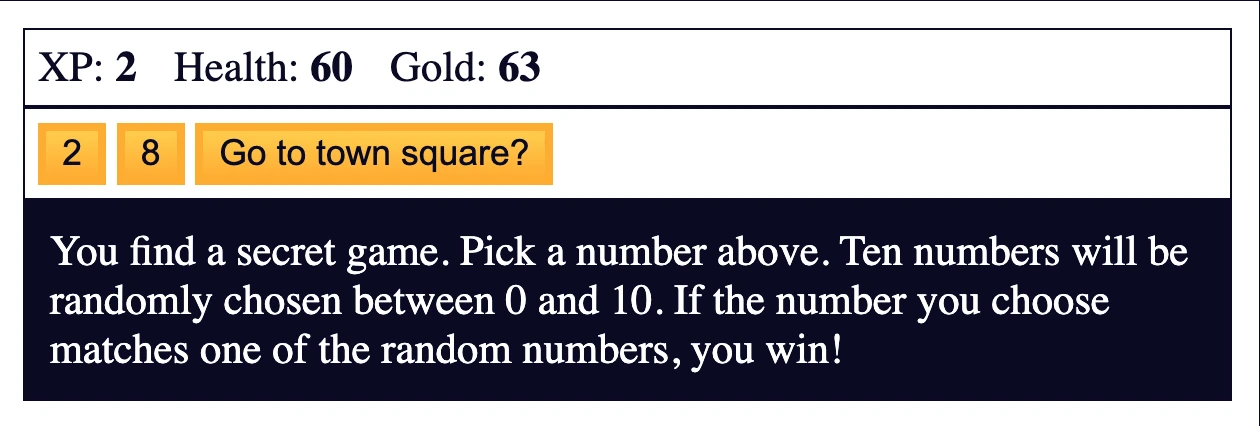
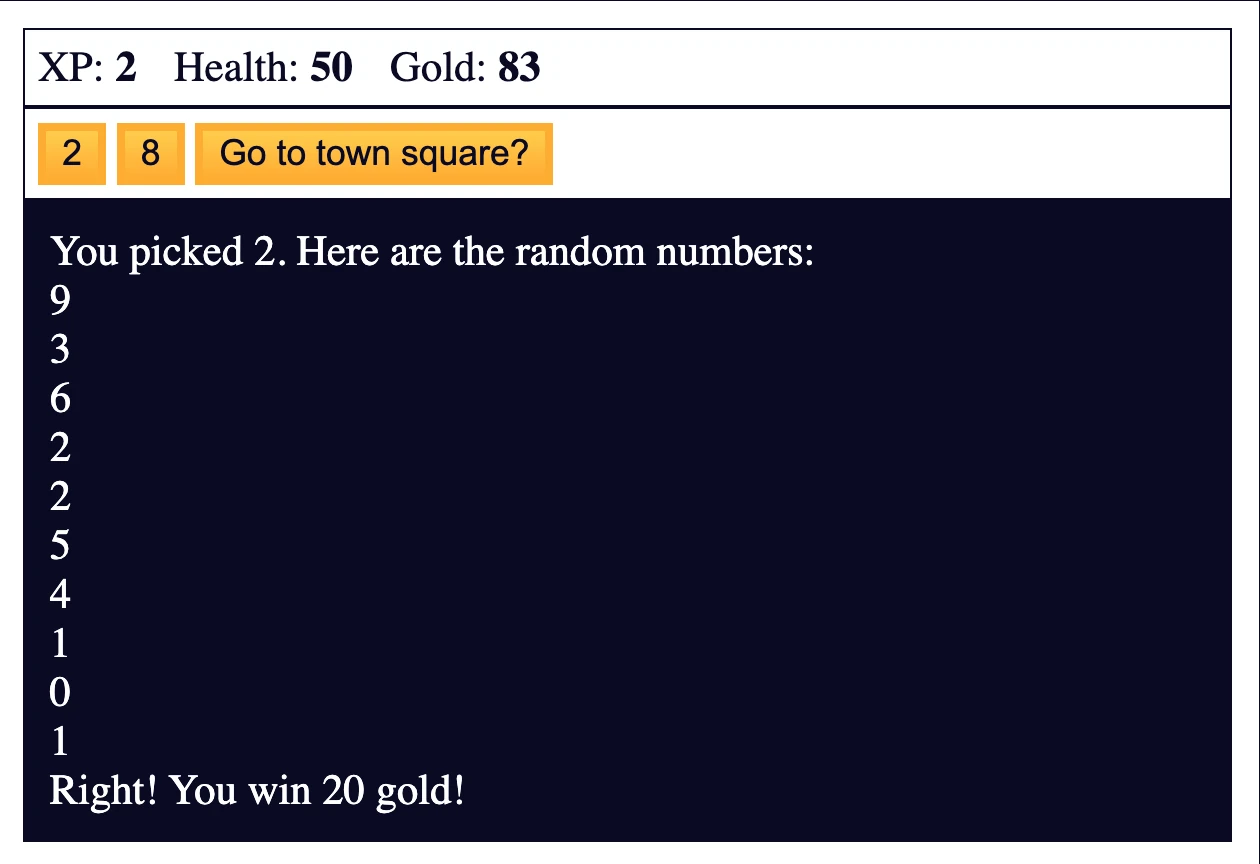
Dragon Repeller RPG developed by integrating JavaScript with HTML and CSS, featuring combat system, inventory management, multiple locations and complete game mechanics. The first project that combines logic, interface and user interaction.
Source Code
- index.html
- styles.css
- script.js
<!DOCTYPE html>
<html lang="en">
  <head>
    <meta charset="utf-8">
    <link rel="stylesheet" href="./styles.css">
    <title>RPG - Dragon Repeller</title>
  </head>
  <body>
    <div id="game">
      <div id="stats">
        <span class="stat">XP: <strong><span id="xpText">0</span></strong></span>
        <span class="stat">Health: <strong><span id="healthText">100</span></strong></span>
        <span class="stat">Gold: <strong><span id="goldText">50</span></strong></span>
      </div>
      <div id="controls">
        <button id="button1">Go to store</button>
        <button id="button2">Go to cave</button>
        <button id="button3">Fight dragon</button>
      </div>
      <div id="monsterStats">
        <span class="stat">Monster Name: <strong><span id="monsterName"></span></strong></span>
        <span class="stat">Health: <strong><span id="monsterHealth"></span></strong></span>
      </div>
      <div id="text">
        Welcome to Dragon Repeller. You must defeat the dragon that is preventing people from leaving the town. You are in the town square. Where do you want to go? Use the buttons above.
      </div>
    </div>
    <script src="./script.js"></script>
  </body>
</html>
body {
  background-color: #0a0a23;
}

#text {
  background-color: #0a0a23;
  color: #ffffff;
  padding: 10px;
}

#game {
  max-width: 500px;
  max-height: 400px;
  background-color: #ffffff;
  color: #ffffff;
  margin: 30px auto 0px;
  padding: 10px;
}

#controls,
#stats {
  border: 1px solid #0a0a23;
  padding: 5px;
  color: #0a0a23;
}

#monsterStats {
  display: none;
  border: 1px solid #0a0a23;
  padding: 5px;
  color: #ffffff;
  background-color: #c70d0d;
}

.stat {
  padding-right: 10px;
}

button {
  cursor: pointer;
  color: #0a0a23;
  background-color: #feac32;
  background-image: linear-gradient(#fecc4c, #ffac33);
  border: 3px solid #feac32;
}
let xp = 0;
let health = 100;
let gold = 50;
let currentWeapon = 0;
let fighting;
let monsterHealth;
let inventory = ["stick"];

const button1 = document.querySelector('#button1');
const button2 = document.querySelector("#button2");
const button3 = document.querySelector("#button3");
const text = document.querySelector("#text");
const xpText = document.querySelector("#xpText");
const healthText = document.querySelector("#healthText");
const goldText = document.querySelector("#goldText");
const monsterStats = document.querySelector("#monsterStats");
const monsterName = document.querySelector("#monsterName");
const monsterHealthText = document.querySelector("#monsterHealth");
const weapons = [
  { name: 'stick', power: 5 },
  { name: 'dagger', power: 30 },
  { name: 'claw hammer', power: 50 },
  { name: 'sword', power: 100 }
];
const monsters = [
  {
    name: "slime",
    level: 2,
    health: 15
  },
  {
    name: "fanged beast",
    level: 8,
    health: 60
  },
  {
    name: "dragon",
    level: 20,
    health: 300
  }
]
const locations = [
  {
    name: "town square",
    "button text": ["Go to store", "Go to cave", "Fight dragon"],
    "button functions": [goStore, goCave, fightDragon],
    text: "You are in the town square. You see a sign that says \"Store\"."
  },
  {
    name: "store",
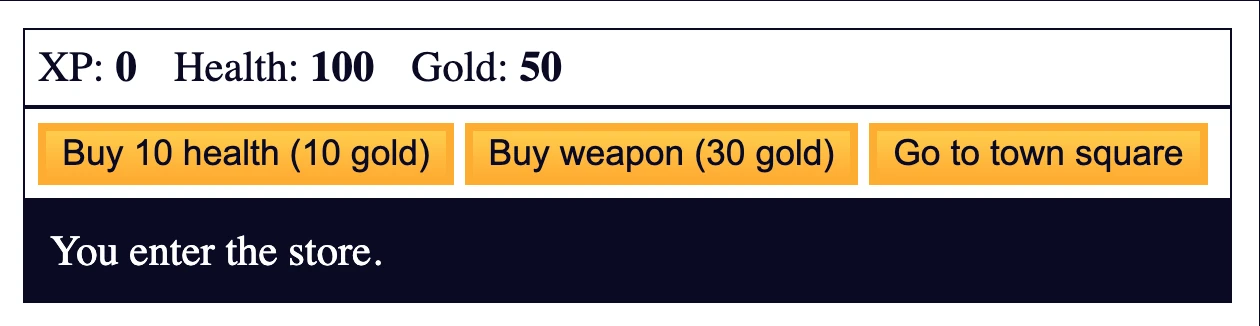
    "button text": ["Buy 10 health (10 gold)", "Buy weapon (30 gold)", "Go to town square"],
    "button functions": [buyHealth, buyWeapon, goTown],
    text: "You enter the store."
  },
  {
    name: "cave",
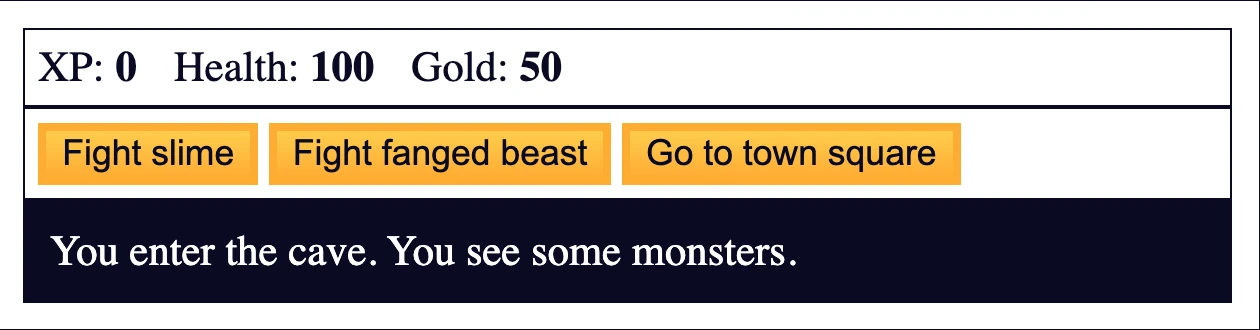
    "button text": ["Fight slime", "Fight fanged beast", "Go to town square"],
    "button functions": [fightSlime, fightBeast, goTown],
    text: "You enter the cave. You see some monsters."
  },
  {
    name: "fight",
    "button text": ["Attack", "Dodge", "Run"],
    "button functions": [attack, dodge, goTown],
    text: "You are fighting a monster."
  },
  {
    name: "kill monster",
    "button text": ["Go to town square", "Go to town square", "Go to town square"],
    "button functions": [goTown, goTown, easterEgg],
    text: 'The monster screams "Arg!" as it dies. You gain experience points and find gold.'
  },
  {
    name: "lose",
    "button text": ["REPLAY?", "REPLAY?", "REPLAY?"],
    "button functions": [restart, restart, restart],
    text: "You die. ☠"
  },
  {
    name: "win",
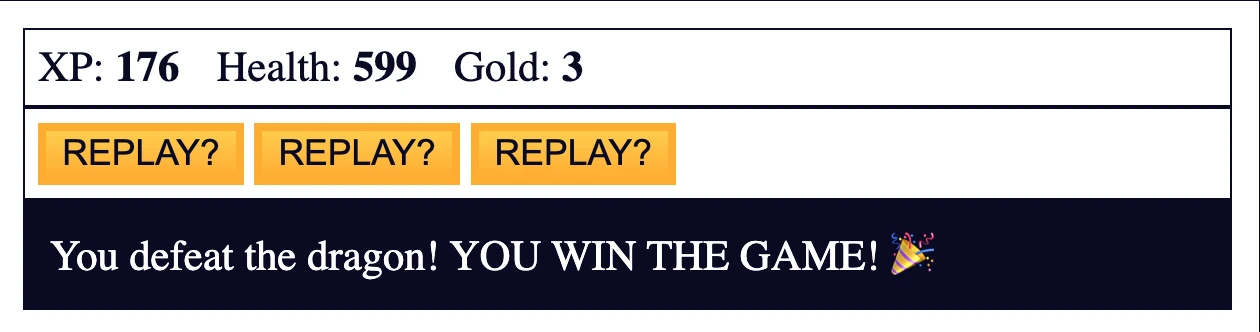
    "button text": ["REPLAY?", "REPLAY?", "REPLAY?"],
    "button functions": [restart, restart, restart],
    text: "You defeat the dragon! YOU WIN THE GAME! 🎉"
  },
  {
    name: "easter egg",
    "button text": ["2", "8", "Go to town square?"],
    "button functions": [pickTwo, pickEight, goTown],
    text: "You find a secret game. Pick a number above. Ten numbers will be randomly chosen between 0 and 10. If the number you choose matches one of the random numbers, you win!"
  }
];

// initialize buttons
button1.onclick = goStore;
button2.onclick = goCave;
button3.onclick = fightDragon;

function update(location) {
  monsterStats.style.display = "none";
  button1.innerText = location["button text"][0];
  button2.innerText = location["button text"][1];
  button3.innerText = location["button text"][2];
  button1.onclick = location["button functions"][0];
  button2.onclick = location["button functions"][1];
  button3.onclick = location["button functions"][2];
  text.innerHTML = location.text;
}

function goTown() {
  update(locations[0]);
}

function goStore() {
  update(locations[1]);
}

function goCave() {
  update(locations[2]);
}

function buyHealth() {
  if (gold >= 10) {
    gold -= 10;
    health += 10;
    goldText.innerText = gold;
    healthText.innerText = health;
  } else {
    text.innerText = "You do not have enough gold to buy health.";
  }
}

function buyWeapon() {
  if (currentWeapon < weapons.length - 1) {
    if (gold >= 30) {
      gold -= 30;
      currentWeapon++;
      goldText.innerText = gold;
      let newWeapon = weapons[currentWeapon].name;
      text.innerText = "You now have a " + newWeapon + ".";
      inventory.push(newWeapon);
      text.innerText += " In your inventory you have: " + inventory;
    } else {
      text.innerText = "You do not have enough gold to buy a weapon.";
    }
  } else {
    text.innerText = "You already have the most powerful weapon!";
    button2.innerText = "Sell weapon for 15 gold";
    button2.onclick = sellWeapon;
  }
}

function sellWeapon() {
  if (inventory.length > 1) {
    gold += 15;
    goldText.innerText = gold;
    let currentWeapon = inventory.shift();
    text.innerText = "You sold a " + currentWeapon + ".";
    text.innerText += " In your inventory you have: " + inventory;
  } else {
    text.innerText = "Don't sell your only weapon!";
  }
}

function fightSlime() {
  fighting = 0;
  goFight();
}

function fightBeast() {
  fighting = 1;
  goFight();
}

function fightDragon() {
  fighting = 2;
  goFight();
}

function goFight() {
  update(locations[3]);
  monsterHealth = monsters[fighting].health;
  monsterStats.style.display = "block";
  monsterName.innerText = monsters[fighting].name;
  monsterHealthText.innerText = monsterHealth;
}

function attack() {
  text.innerText = "The " + monsters[fighting].name + " attacks.";
  text.innerText += " You attack it with your " + weapons[currentWeapon].name + ".";
  health -= getMonsterAttackValue(monsters[fighting].level);
  if (isMonsterHit()) {
    monsterHealth -= weapons[currentWeapon].power + Math.floor(Math.random() * xp) + 1;
  } else {
    text.innerText += " You miss.";
  }
  healthText.innerText = health;
  monsterHealthText.innerText = monsterHealth;
  if (health <= 0) {
    lose();
  } else if (monsterHealth <= 0) {
    if (fighting === 2) {
      winGame();
    } else {
      defeatMonster();
    }
  }
  if (Math.random() <= .1 && inventory.length !== 1) {
    text.innerText += " Your " + inventory.pop() + " breaks.";
    currentWeapon--;
  }
}

function getMonsterAttackValue(level) {
  const hit = (level * 5) - (Math.floor(Math.random() * xp));
  console.log(hit);
  return hit > 0 ? hit : 0;
}

function isMonsterHit() {
  return Math.random() > .2 || health < 20;
}

function dodge() {
  text.innerText = "You dodge the attack from the " + monsters[fighting].name;
}

function defeatMonster() {
  gold += Math.floor(monsters[fighting].level * 6.7);
  xp += monsters[fighting].level;
  goldText.innerText = gold;
  xpText.innerText = xp;
  update(locations[4]);
}

function lose() {
  update(locations[5]);
}

function winGame() {
  update(locations[6]);
}

function restart() {
  xp = 0;
  health = 100;
  gold = 50;
  currentWeapon = 0;
  inventory = ["stick"];
  goldText.innerText = gold;
  healthText.innerText = health;
  xpText.innerText = xp;
  goTown();
}

function easterEgg() {
  update(locations[7]);
}

function pickTwo() {
  pick(2);
}

function pickEight() {
  pick(8);
}

function pick(guess) {
  const numbers = [];
  while (numbers.length < 10) {
    numbers.push(Math.floor(Math.random() * 11));
  }
  text.innerText = "You picked " + guess + ". Here are the random numbers:\n";
  for (let i = 0; i < 10; i++) {
    text.innerText += numbers[i] + "\n";
  }
  if (numbers.includes(guess)) {
    text.innerText += "Right! You win 20 gold!";
    gold += 20;
    goldText.innerText = gold;
  } else {
    text.innerText += "Wrong! You lose 10 health!";
    health -= 10;
    healthText.innerText = health;
    if (health <= 0) {
      lose();
    }
  }
}
The Most Challenging Experience
It was a very long and most tiring project done so far. It was difficult to enter the logic of JavaScript and I still don't feel comfortable.
Halfway through the project I took a complete day off where I only read a few pages of Refactoring UI, I needed it to recharge.
The Moments of Joy
As soon as I started the project I began with great energy writing HTML and CSS, with the same energy also the assignment of HTML elements to JavaScript, like buttons.
I admit that functions and if/else loops also entertained me (even if less than the previously mentioned areas), maybe because by repeating them continuously throughout the project I started to feel confident - and this is exactly what brings me joy in doing it.
The Achilles' Heel
For loops are my Achilles' heel. Better than the last project, but I can't reach the level of abstraction it requires.
An Encouraging Discovery
I researched and discovered that for a designer's mind, it's normal to find for loops more difficult, particularly compared to if/else statements. I'm sure that throughout the course, with all the projects there will be, I will learn to master them completely.
What I Learned
DOM Manipulation:
-
document.querySelector() to select HTML elements
-
onclick events to handle user interactions
-
innerText and innerHTML to dynamically update content
-
style.display to show/hide elements
Game Logic:
-
State management with global variables
-
Object arrays for weapons, monsters, locations
-
Dynamic UI updates based on game state
-
Conditional game flow with multiple locations
Advanced JavaScript:
-
Math.random() for random elements
-
Array methods (push, pop, shift, includes)
-
Complex conditionals for game mechanics
-
Function composition for interconnected systems
HTML/CSS/JS Integration:
-
Responsive button behavior with JavaScript
-
Dynamic content updates maintaining CSS styling
-
Event handling for user interactions
-
Real-time stats display synchronized with game state
Observed Development Patterns
Game Architecture:
-
Locations system - each location has button texts and functions
-
Update pattern - central function that updates entire UI
-
State persistence - global variables to maintain progress
Combat System:
-
Turn-based logic with attack/dodge/run options
-
Damage calculation with mathematical formulas
-
Random elements for gameplay variety
Reflection
I'm happy with the confidence I've developed with functions and if/else loops - it gives me faith that loops will also become natural with practice.
Next Project: Learn Basic Debugging by Building a Random Background Color Changer