Rock, Paper, Scissors Game
The Project
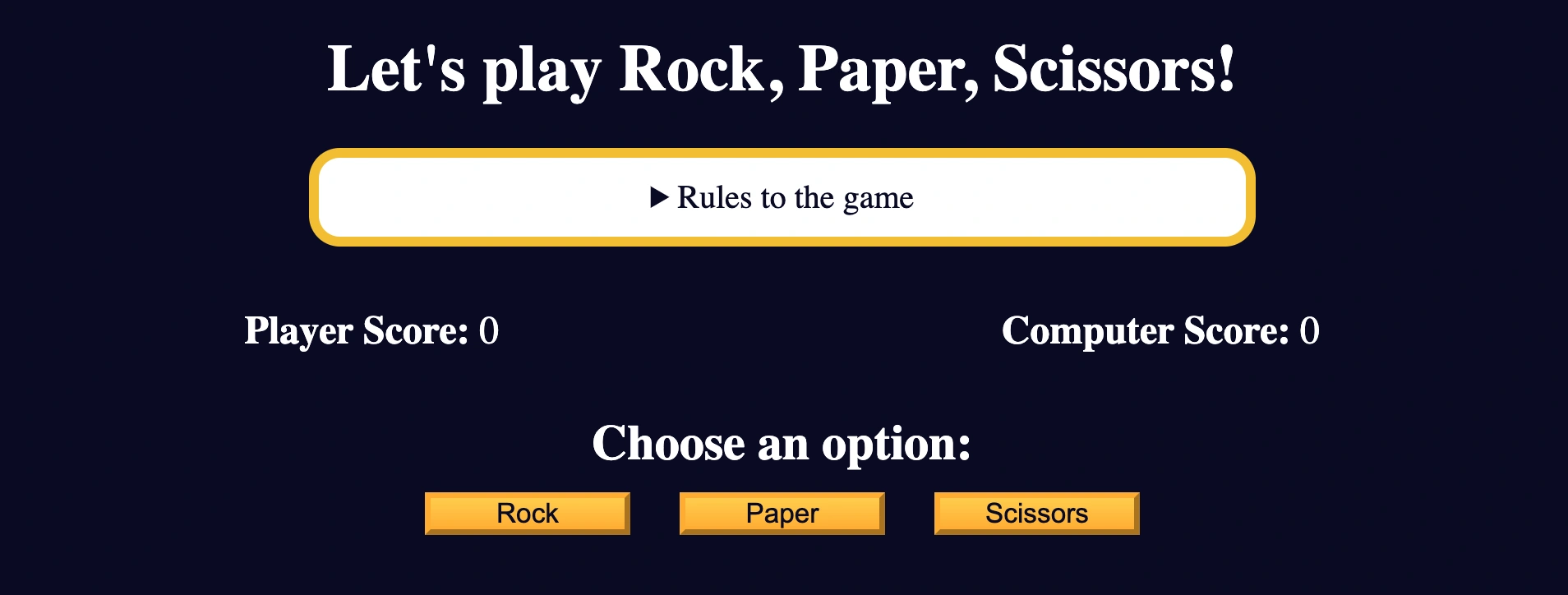
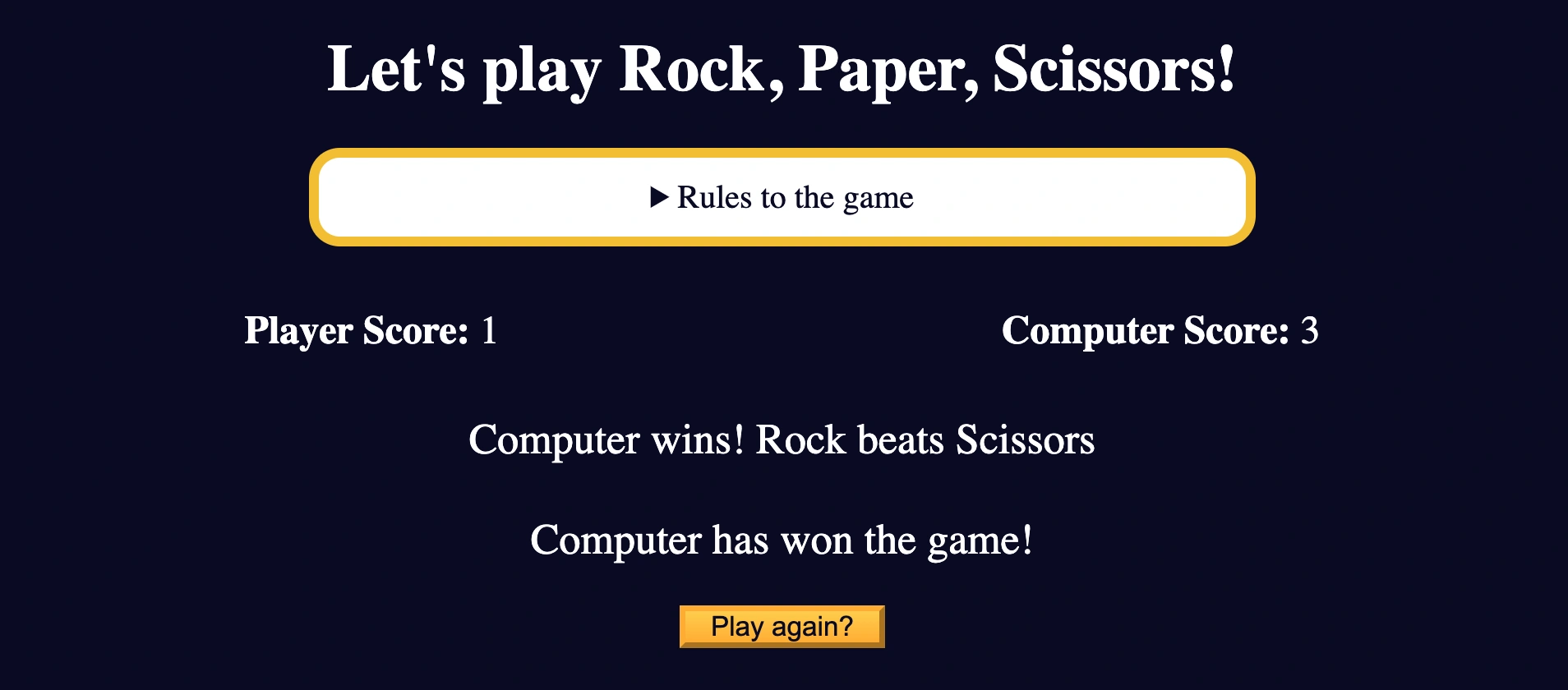
Interactive Rock, Paper, Scissors game developed with vanilla JavaScript, DOM manipulation and complete game logic. A review project that consolidates all concepts learned so far.
Source Code
- index.html
- styles.css
- script.js
<!DOCTYPE html>
<html lang="en">
  <head>
    <meta charset="UTF-8" />
    <meta name="viewport" content="width=device-width, initial-scale=1.0" />
    <title>Rock, Paper, Scissors game</title>
    <link rel="stylesheet" href="styles.css">
  </head>
  <body>
    <h1>Let's play Rock, Paper, Scissors!</h1>
    <main>
      <details class="rules-container">
        <summary>Rules to the game</summary>

        <p>You will be playing against the computer.</p>
        <p>You can choose between Rock, Paper, and Scissors.</p>
        <p>The first one to three points wins.</p>

        <p>Here are the rules to getting a point in the game:</p>
        <ul>
          <li>Rock beats Scissors</li>
          <li>Scissors beats Paper</li>
          <li>Paper beats Rock</li>
        </ul>
        <p>
          If the player and computer choose the same option (Ex. Paper and
          Paper), then no one gets the point.
        </p>
      </details>

      <div class="score-container">
        <strong
          >Player Score: <span class="score" id="player-score">0</span></strong
        >
        <strong
          >Computer Score:
          <span class="score" id="computer-score">0</span></strong
        >
      </div>

      <section class="options-container">
        <h2>Choose an option:</h2>
        <div class="btn-container">
          <button id="rock-btn" class="btn">Rock</button>
          <button id="paper-btn" class="btn">Paper</button>
          <button id="scissors-btn" class="btn">Scissors</button>
        </div>
      </section>

      <div class="results-container">
        <p id="results-msg"></p>
        <p id="winner-msg"></p>
        <button class="btn" id="reset-game-btn">Play again?</button>
      </div>
    </main>
    <script src="./script.js"></script>
  </body>
</html>
*,
*::before,
*::after {
margin: 0;
padding: 0;
box-sizing: border-box;
}

:root {
--very-dark-blue: #0a0a23;
--white: #ffffff;
--yellow: #f1be32;
--golden-yellow: #feac32;
}

body {
background-color: var(--very-dark-blue);
text-align: center;
color: var(--white);
}

h1 {
margin: 15px 0 20px;
}

.btn {
cursor: pointer;
width: 100px;
margin: 10px;
color: var(--very-dark-blue);
background-color: var(--golden-yellow);
background-image: linear-gradient(#fecc4c, #ffac33);
border-color: var(--golden-yellow);
border-width: 3px;
}

.btn:hover {
background-image: linear-gradient(#ffcc4c, #f89808);
}

.rules-container {
padding: 10px 0;
margin: auto;
border-radius: 15px;
border: 5px solid var(--yellow);
background-color: var(--white);
color: var(--very-dark-blue);
}

.rules-container ul {
list-style-type: none;
}

.rules-container p {
margin: 10px 0;
}

@media (min-width: 760px) {
.rules-container {
    width: 60%;
}
}

.score-container {
display: flex;
justify-content: space-around;
margin: 30px 0;
font-size: 1.2rem;
}

.score {
font-weight: 500;
}

.results-container {
font-size: 1.3rem;
margin: 15px 0;
}

#winner-msg {
margin-top: 25px;
}

#reset-game-btn {
display: none;
margin: 20px auto;
}
function getRandomComputerResult() {
const options = ["Rock", "Paper", "Scissors"];
const randomIndex = Math.floor(Math.random() * options.length);
return options[randomIndex];
}

function hasPlayerWonTheRound(player, computer) {
return (
    (player === "Rock" && computer === "Scissors") ||
    (player === "Scissors" && computer === "Paper") ||
    (player === "Paper" && computer === "Rock")
);
}

let playerScore = 0;
let computerScore = 0;

function getRoundResults(userOption) {
const computerResult = getRandomComputerResult();

if (hasPlayerWonTheRound(userOption, computerResult)) {
    playerScore++;
    return `Player wins! ${userOption} beats ${computerResult}`;
} else if (computerResult === userOption) {
    return `It's a tie! Both chose ${userOption}`;
} else {
    computerScore++;
    return `Computer wins! ${computerResult} beats ${userOption}`;
}
}

const playerScoreSpanElement = document.getElementById("player-score");
const computerScoreSpanElement = document.getElementById("computer-score");
const roundResultsMsg = document.getElementById("results-msg");
const winnerMsgElement = document.getElementById("winner-msg");
const optionsContainer = document.querySelector(".options-container");
const resetGameBtn = document.getElementById("reset-game-btn");

function showResults(userOption) {
roundResultsMsg.innerText = getRoundResults(userOption);
computerScoreSpanElement.innerText = computerScore;
playerScoreSpanElement.innerText = playerScore;

if (playerScore === 3 || computerScore === 3) {
    winnerMsgElement.innerText = `${
    playerScore === 3 ? "Player" : "Computer"
    } has won the game!`;

    resetGameBtn.style.display = "block";
    optionsContainer.style.display = "none";
}

};
function resetGame() {
playerScore = 0;
computerScore = 0;
playerScoreSpanElement.innerText = "0";
computerScoreSpanElement.innerText = "0";
resetGameBtn.style.display = "none";
optionsContainer.style.display = "block";
winnerMsgElement.innerText = "";
roundResultsMsg.innerText = "";
};

resetGameBtn.addEventListener("click", resetGame);

const rockBtn = document.getElementById("rock-btn");
const paperBtn = document.getElementById("paper-btn");
const scissorsBtn = document.getElementById("scissors-btn");

rockBtn.addEventListener("click", function () {
showResults("Rock");
});

paperBtn.addEventListener("click", function () {
showResults("Paper");
});

scissorsBtn.addEventListener("click", function () {
showResults("Scissors");
});
The Cognitive Intensity of Review
This project was quite cognitively demanding, although it was composed of only 6 steps, each one required me to conduct a total review of most of the concepts learned.
The vademecum fit like a glove and it was super interesting to modify it as I progressed.
You could say this project functioned as a "validator" of the vademecum: I based myself on it and improved it precisely based on concepts that needed greater clarity, completeness and also the addition of more concise and efficient syntax.
The Challenge of "JavaScript Only"
Sometimes, like this time, you don't start by writing HTML and CSS, but with JavaScript alone. I admit it weighed on me quite a bit, like the other times, because I want to carry projects through from A to Z.
What I Learned
Advanced Game Logic:
Math.random()andMath.floor()for random generation- Logic functions with boolean returns to determine winners
- State management with global variables (
playerScore,computerScore)
Complex DOM Manipulation:
document.getElementById()for specific elementsdocument.querySelector()for CSS selectorsinnerTextfor dynamic content updatesstyle.displayfor conditional show/hide
Event Handling Mastery:
addEventListener()with callback functions- Multiple event listeners for different buttons
- Event handling for game reset and restart
Conditional Game Flow:
- Ternary operators for dynamic messages
- Complex if/else logic to determine results
- Game state checks for game end
Function Architecture:
getRandomComputerResult()- computer random selectionhasPlayerWonTheRound()- victory logicgetRoundResults()- complete round managementshowResults()- UI updateresetGame()- initial state restoration
JavaScript Patterns Observed:
- Return statements with complex logic
- Template literals for dynamic messages
- Boolean logic for game mechanics
Reflection
This project really validated my vademecum! It was incredible to see how every concept fit together perfectly and how the vademecum guided me through every step.
Next Project: Learn Basic String and Array Methods by Building a Music Player