fCC News Authors Page
The Project
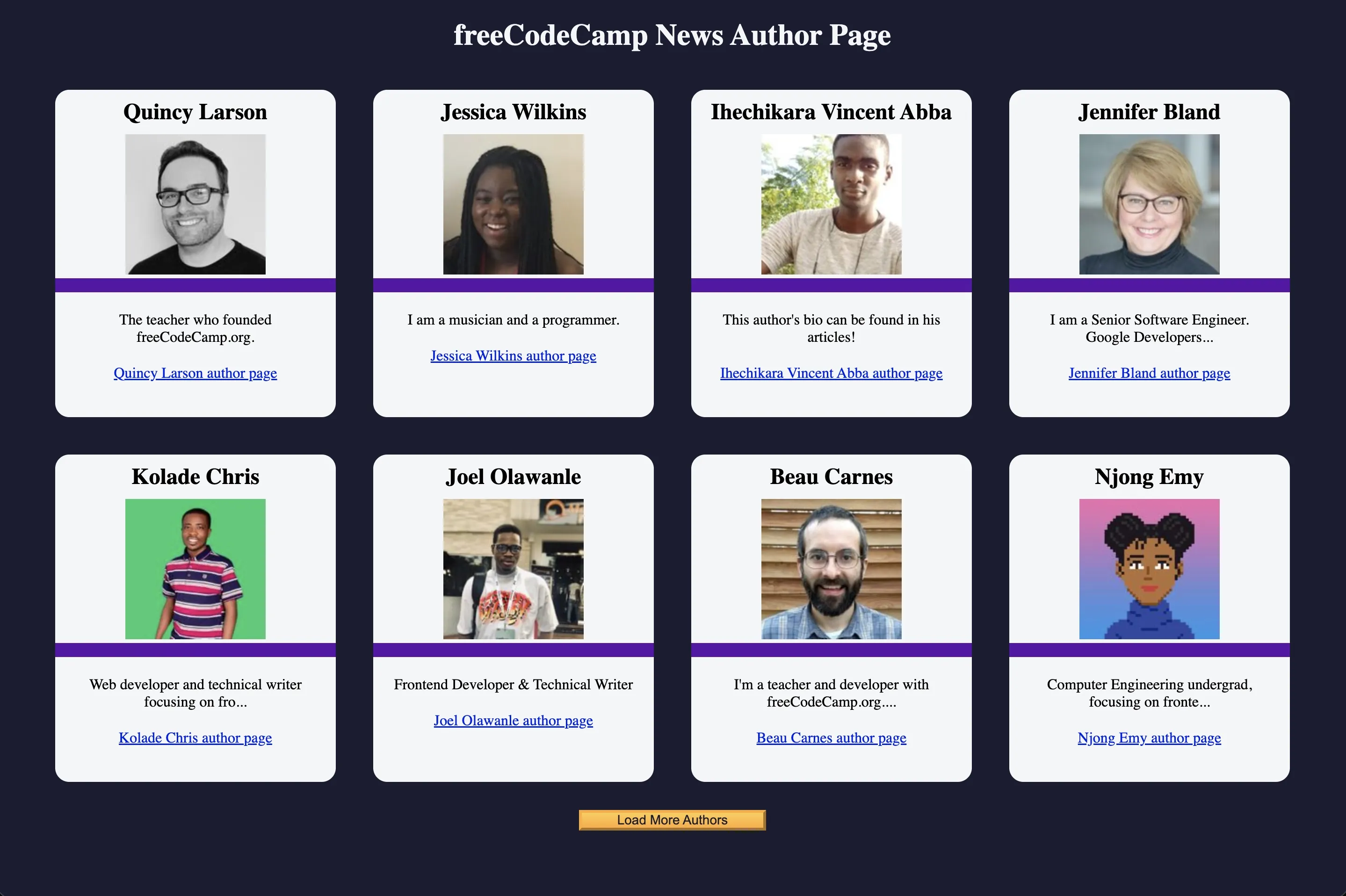
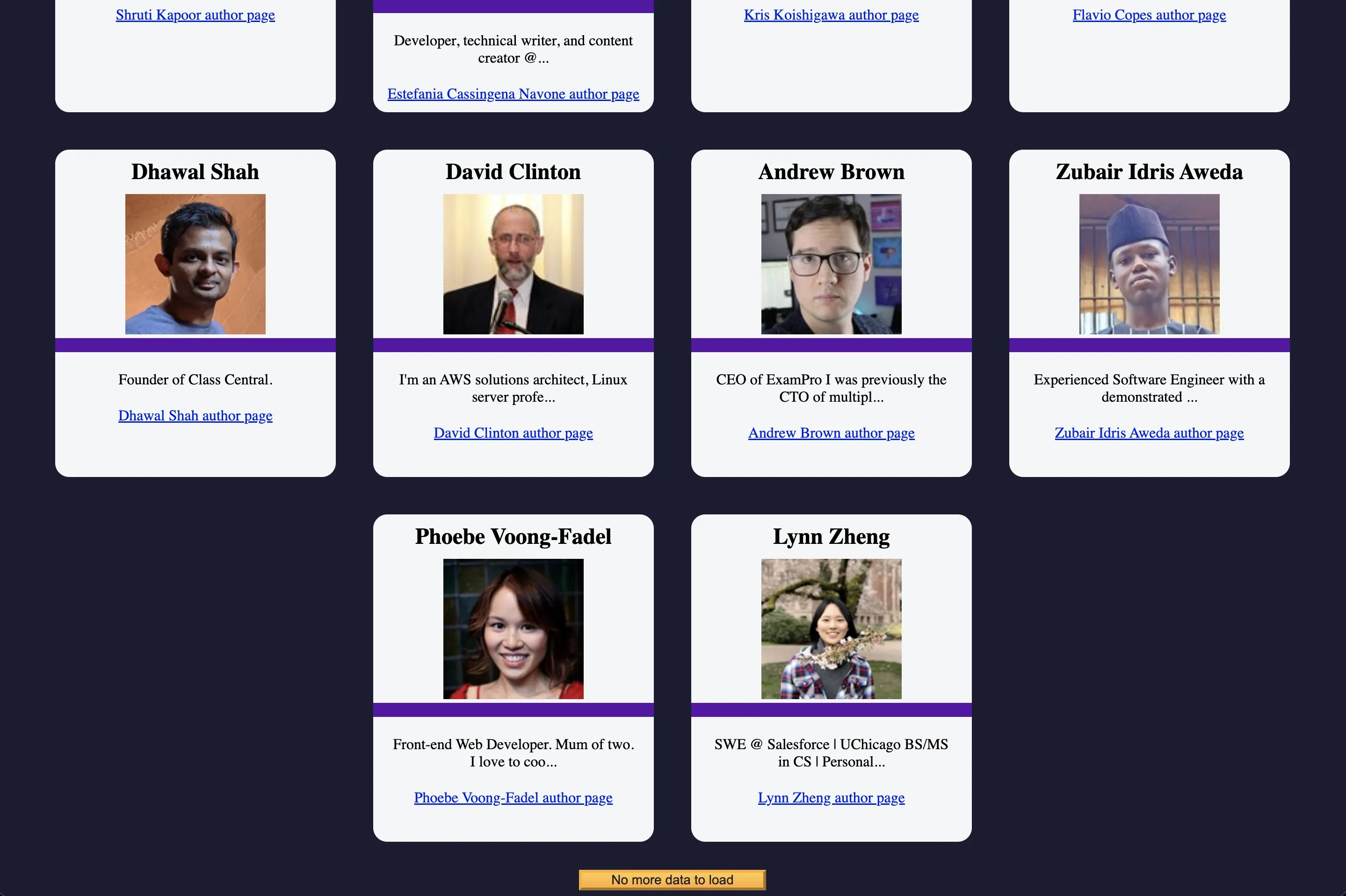
News Authors Page developed with vanilla JavaScript, fetch API, and asynchronous data management. An application that demonstrates progressive loading, pagination, and robust error handling to optimize performance and user experience.
Source Code
- index.html
- styles.css
- script.js
<!DOCTYPE html>
<html lang="en">
  <head>
    <meta charset="UTF-8" />
    <meta http-equiv="X-UA-Compatible" content="IE=edge" />
    <meta name="viewport" content="width=device-width, initial-scale=1.0" />
    <title>freeCodeCamp News Author Page</title>
    <link rel="stylesheet" href="styles.css">
  </head>
  <body>
    <h1 class="title">freeCodeCamp News Author Page</h1>
    <main>
      <div id="author-container"></div>
      <button class="btn" id="load-more-btn">Load More Authors</button>
    </main>
    <script src="./script.js"></script>
  </body>
</html>
* {
margin: 0;
padding: 0;
box-sizing: border-box;
}

:root {
--main-bg-color: #1b1b32;
--light-grey: #f5f6f7;
--dark-purple: #5a01a7;
--golden-yellow: #feac32;
}

body {
background-color: var(--main-bg-color);
text-align: center;
}

.title {
color: var(--light-grey);
margin: 20px 0;
}

#author-container {
display: flex;
flex-wrap: wrap;
justify-content: center;
}

.user-card {
border-radius: 15px;
width: 300px;
height: 350px;
background-color: var(--light-grey);
margin: 20px;
}

.user-img {
width: 150px;
height: 150px;
object-fit: cover;
}

.purple-divider {
background-color: var(--dark-purple);
width: 100%;
height: 15px;
}

.author-name {
margin: 10px;
}

.bio {
margin: 20px;
}

.error-msg {
color: var(--light-grey);
}

.btn {
cursor: pointer;
width: 200px;
margin: 10px;
color: var(--main-bg-color);
font-size: 14px;
background-color: var(--golden-yellow);
background-image: linear-gradient(#fecc4c, #ffac33);
border-color: var(--golden-yellow);
border-width: 3px;
}
const authorContainer = document.getElementById('author-container');
const loadMoreBtn = document.getElementById('load-more-btn');

let startingIndex = 0;
let endingIndex = 8;
let authorDataArr = [];

fetch('https://cdn.freecodecamp.org/curriculum/news-author-page/authors.json')
.then((res) => res.json())
.then((data) => {
    authorDataArr = data;
    displayAuthors(authorDataArr.slice(startingIndex, endingIndex));
})
.catch((err) => {
    authorContainer.innerHTML = '<p class="error-msg">There was an error loading the authors</p>';
});

const fetchMoreAuthors = () => {
startingIndex += 8;
endingIndex += 8;

displayAuthors(authorDataArr.slice(startingIndex, endingIndex));
if (authorDataArr.length <= endingIndex) {
    loadMoreBtn.disabled = true;
    loadMoreBtn.style.cursor = "not-allowed";
    loadMoreBtn.textContent = 'No more data to load';
}
};

const displayAuthors = (authors) => {
authors.forEach(({ author, image, url, bio }, index) => {
    authorContainer.innerHTML += `
    <div id="${index}" class="user-card">
    <h2 class="author-name">${author}</h2>
    <img class="user-img" src="${image}" alt="${author} avatar">
    <div class="purple-divider"></div>
    <p class="bio">${bio.length > 50 ? bio.slice(0, 50) + '...' : bio}</p>
    <a class="author-link" href="${url}" target="_blank">${author} author page</a>
    </div>
`;
});
};

loadMoreBtn.addEventListener('click', fetchMoreAuthors);
The Favorite Project
It was one of my favorite freeCodeCamp projects! It made me think deeply about how to optimize content loading for users with different needs.
The Insight: Adaptive Loading
An insight came to me that I attribute to the Google UX course, where it was explained how pay-as-you-go rates work in emerging countries like India, and how desktop users are much more likely to have a fast connection being more likely to be connected to a home network (ADSL, Fiber optic).
The tutorial problem:
The freeCodeCamp tutorial always loads 8 authors at a time, a fixed compromise that doesn't consider users' different conditions. I asked myself: why impose this friction (click to load) on those with a very fast connection? At the same time, why risk wasting precious data on those with pay-as-you-go rates?
The discovery:
There's an approach called Adaptive Loading that solves exactly this problem. Using navigator.connection.effectiveType (which returns "4g", "3g", "2g", "slow-2g") and navigator.connection.saveData (a boolean indicating if the user has activated data saving), you can dynamically load 5, 8, or 20 elements based on the actual connection.
Furthermore, by differentiating between desktop and mobile (window.innerWidth), you can further optimize: desktop with home WiFi can load everything, mobile on data network loads progressively.
The Night Reflection: Lazy Loading
Last night (literally) I woke up thinking that the best solution, simple and that truly adapts to everyone, is to eliminate the button entirely and load the page content bit by bit (Lazy Loading with Infinite Scroll).
I believe it's the optimal solution because those with fast internet won't notice the progressive loading, everything will appear fluid, those with slow internet will see a loading message after a brief delay, without the friction of manual clicking, using Intersection Observer, the next 8 authors are automatically loaded when the user reaches the bottom of the list, guaranteeing zero friction.
This is the most elegant solution because it's passive; in fact, it adapts to the user without the user having to do (or know) anything.
What I Learned
Fetch API and Promise Chain:
.fetch()returns a Promise that resolves with a Response object.then(res => res.json())is the necessary "double .then()": first you unpack the Response, then you parse the JSON.catch()catches ALL errors in the chain (network, parsing, logic)
UX-Oriented Error Handling:
- Errors for the developer:
console.error()for technical debugging - Errors for the user:
innerHTMLwith understandable message - Important distinction: the user shouldn't see technical errors
Pagination with Array Slicing:
startingIndexandendingIndexas a "sliding window" on the complete array.slice(start, end)to extract "pieces" of data without modifying the original- Progressive increment (
+= 8) to show the next batch
Smart Caching:
authorDataArr = datasaves ALL data after the first fetch- Subsequent fetches not necessary, only slicing of the local array
- Drastically reduces network calls
innerHTML: = vs +=:
=(assignment) completely replaces content: ideal for errors or reset+=(concatenation) adds to existing content: ideal for card loops- Understanding when to use each is fundamental for correct UX
Advanced Destructuring:
({ author, image, url, bio })unpacks objects into single variables- Cleaner and more readable than repeated
obj.author,obj.image - Modern ES6 pattern that makes code more elegant
Button UX Disabling:
disabled = trueto block clicksstyle.cursor = "not-allowed"for visual feedbacktextContentupdated to clearly communicate the state
Adaptive Loading (Discovery):
navigator.connectionAPI to detect actual connection typenavigator.connection.saveDatato respect user preferences- Conditional logic to dynamically adapt
endingIndex
Infinite Scroll Pattern:
- Intersection Observer to detect when user reaches the bottom
- Automatic loading without click friction
- Loading message after timeout for slow connections
Performance-Oriented Responsive Design:
- Desktop (large screen + WiFi) → loads more elements
- Mobile (small screen + data) → loads progressively
- Implicit respect for user's hardware and network conditions
Next Project: Learn Asynchronous Programming by Building an fCC Forum Leaderboard