Magazine
The Project
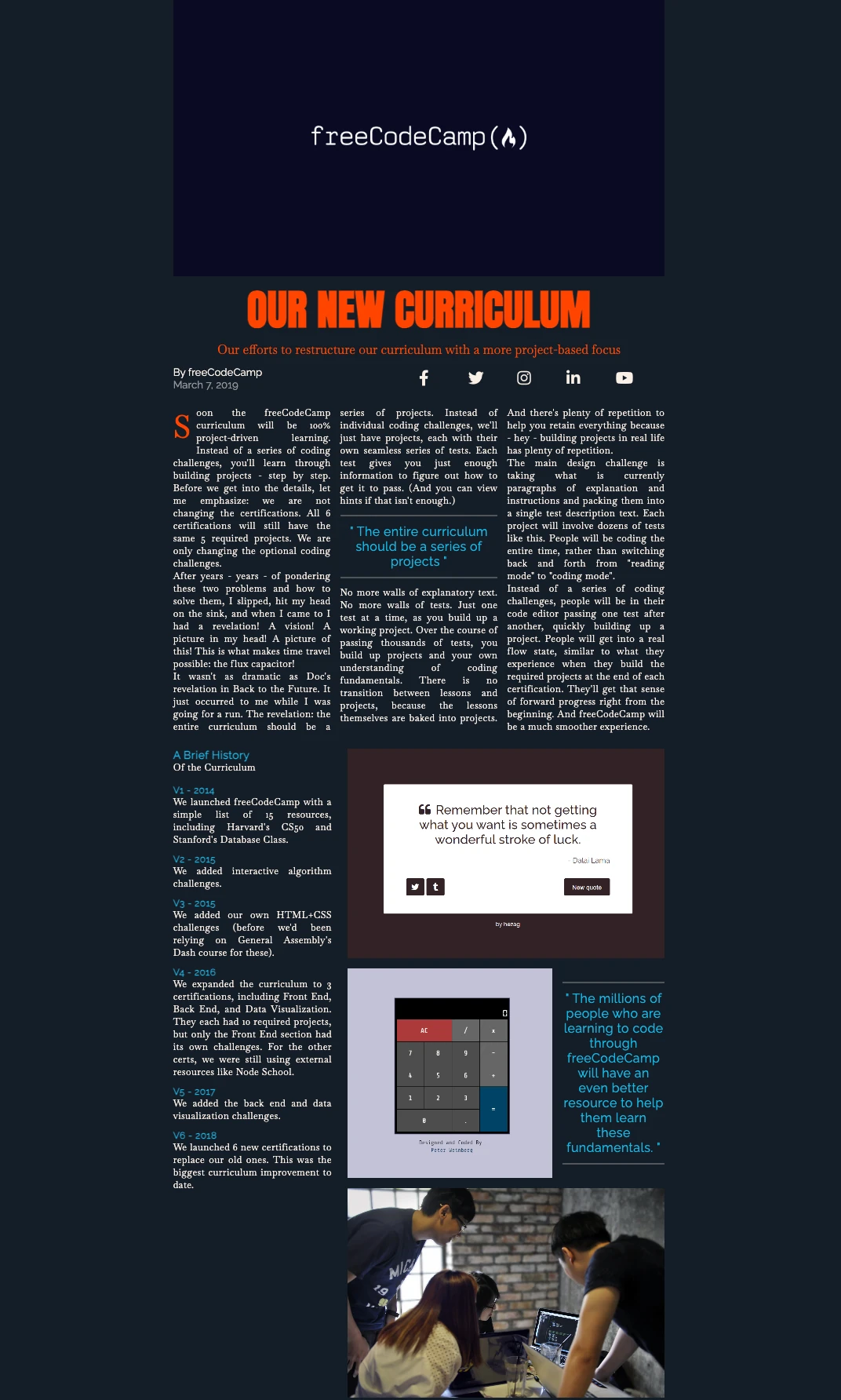
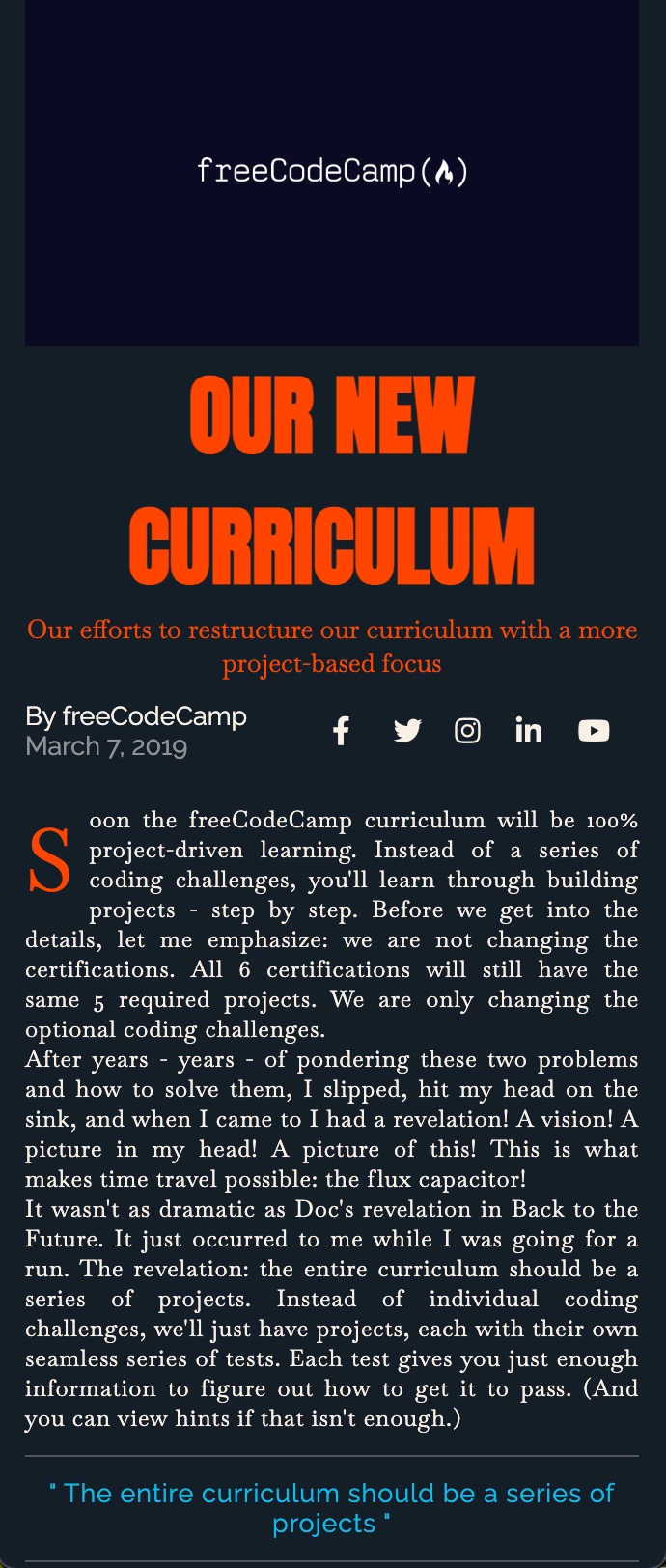
Digital magazine developed with CSS Grid, replicating the typical layout of a magazine with columns, sections, and complex graphic elements. A return to the origins of editorial design applied to the web.
Source Code
- index.html
- styles.css
<!DOCTYPE html>
<html lang="en">
  <head>
    <meta charset="UTF-8" />
    <meta name="viewport" content="width=device-width, initial-scale=1.0" />
    <title>Magazine</title>
    <link
      href="https://fonts.googleapis.com/css?family=Anton%7CBaskervville%7CRaleway&display=swap"
      rel="stylesheet"
    />
    <link
      rel="stylesheet"
      href="https://use.fontawesome.com/releases/v5.8.2/css/all.css"
    />
    <link
      rel="stylesheet"
      href="styles.css"
    />
  </head>
  <body>
    <main>
      <section class="heading">
        <header class="hero">
          <img
            src="https://cdn.freecodecamp.org/platform/universal/fcc_meta_1920X1080-indigo.png"
            alt="freecodecamp logo"
            loading="lazy"
            class="hero-img"
          />
          <h1 class="hero-title">OUR NEW CURRICULUM</h1>
          <p class="hero-subtitle">
            Our efforts to restructure our curriculum with a more project-based
            focus
          </p>
        </header>
        <div class="author">
          <p class="author-name">
            By
            <a href="https://freecodecamp.org" target="_blank" rel="noreferrer"
              >freeCodeCamp</a
            >
          </p>
          <p class="publish-date">March 7, 2019</p>
        </div>
        <div class="social-icons">
          <a href="https://www.facebook.com/freecodecamp/">
            <i class="fab fa-facebook-f"></i>
          </a>
          <a href="https://twitter.com/freecodecamp/">
            <i class="fab fa-twitter"></i>
          </a>
          <a href="https://instagram.com/freecodecamp">
            <i class="fab fa-instagram"></i>
          </a>
          <a href="https://www.linkedin.com/school/free-code-camp/">
            <i class="fab fa-linkedin-in"></i>
          </a>
          <a href="https://www.youtube.com/freecodecamp">
            <i class="fab fa-youtube"></i>
          </a>
        </div>
      </section>
      <section class="text">
        <p class="first-paragraph">
          Soon the freeCodeCamp curriculum will be 100% project-driven learning. Instead of a series of coding challenges, you'll learn through building projects - step by step. Before we get into the details, let me emphasize: we are not changing the certifications. All 6 certifications will still have the same 5 required projects. We are only changing the optional coding challenges.
        </p>
        <p>
          After years - years - of pondering these two problems and how to solve them, I slipped, hit my head on the sink, and when I came to I had a revelation! A vision! A picture in my head! A picture of this! This is what makes time travel possible: the flux capacitor!
        </p>
        <p>
          It wasn't as dramatic as Doc's revelation in Back to the Future. It
          just occurred to me while I was going for a run. The revelation: the entire curriculum should be a series of projects. Instead of individual coding challenges, we'll just have projects, each with their own seamless series of tests. Each test gives you just enough information to figure out how to get it to pass. (And you can view hints if that isn't enough.)
        </p>
        <blockquote>
          <hr />
          <p class="quote">
            The entire curriculum should be a series of projects
          </p>
          <hr />
        </blockquote>
        <p>
          No more walls of explanatory text. No more walls of tests. Just one
          test at a time, as you build up a working project. Over the course of passing thousands of tests, you build up projects and your own understanding of coding fundamentals. There is no transition between lessons and projects, because the lessons themselves are baked into projects. And there's plenty of repetition to help you retain everything because - hey - building projects in real life has plenty of repetition.
        </p>
        <p>
          The main design challenge is taking what is currently paragraphs of explanation and instructions and packing them into a single test description text. Each project will involve dozens of tests like this. People will be coding the entire time, rather than switching back and forth from "reading mode" to "coding mode".
        </p>
        <p>
          Instead of a series of coding challenges, people will be in their code editor passing one test after another, quickly building up a project. People will get into a real flow state, similar to what they experience when they build the required projects at the end of each certification. They'll get that sense of forward progress right from the beginning. And freeCodeCamp will be a much smoother experience.
        </p>
      </section>
      <section class="text text-with-images">
        <article class="brief-history">
          <h3 class="list-title">A Brief History</h3>
          <p>Of the Curriculum</p>
          <ul class="lists">
            <li>
              <h4 class="list-subtitle">V1 - 2014</h4>
              <p>
                We launched freeCodeCamp with a simple list of 15 resources,
                including Harvard's CS50 and Stanford's Database Class.
              </p>
            </li>
            <li>
              <h4 class="list-subtitle">V2 - 2015</h4>
              <p>We added interactive algorithm challenges.</p>
            </li>
            <li>
              <h4 class="list-subtitle">V3 - 2015</h4>
              <p>
                We added our own HTML+CSS challenges (before we'd been relying on
                General Assembly's Dash course for these).
              </p>
            </li>
            <li>
              <h4 class="list-subtitle">V4 - 2016</h4>
              <p>
                We expanded the curriculum to 3 certifications, including Front
                End, Back End, and Data Visualization. They each had 10 required
                projects, but only the Front End section had its own challenges.
                For the other certs, we were still using external resources like
                Node School.
              </p>
            </li>
            <li>
              <h4 class="list-subtitle">V5 - 2017</h4>
              <p>We added the back end and data visualization challenges.</p>
            </li>
            <li>
              <h4 class="list-subtitle">V6 - 2018</h4>
              <p>
                We launched 6 new certifications to replace our old ones. This was
                the biggest curriculum improvement to date.
              </p>
            </li>
          </ul>
        </article>
        <aside class="image-wrapper">
          <img
            src="https://cdn.freecodecamp.org/testable-projects-fcc/images/random-quote-machine.png"
            alt="image of the quote machine project"
            loading="lazy"
            class="image-1"
            width="600"
            height="400"
          />
          <img
            src="https://cdn.freecodecamp.org/testable-projects-fcc/images/calc.png"
            alt="image of a calculator project"
            loading="lazy"
            class="image-2"
            width="400"
            height="400"
          />
          <blockquote class="image-quote">
            <hr />
            <p class="quote">
              The millions of people who are learning to code through freeCodeCamp
              will have an even better resource to help them learn these
              fundamentals.
            </p>
            <hr />
          </blockquote>
          <img
            src="https://cdn.freecodecamp.org/testable-projects-fcc/images/survey-form-background.jpeg"
            alt="four people working on code"
            loading="lazy"
            class="image-3"
            width="600"
            height="400"
          />
        </aside>
      </section>
    </main>
  </body>
</html>
*,
::before,
::after {
  padding: 0;
  margin: 0;
  box-sizing: border-box;
}

html {
  font-size: 62.5%;
}

body {
  font-family: 'Baskervville', serif;
  color: linen;
  background-color: rgb(20, 30, 40);
}

h1 {
  font-family: 'Anton', sans-serif;
}

h2, h3, h4, h5, h6 {
  font-family: 'Raleway', sans-serif;
}

a {
  text-decoration: none;
  color: linen;
}

main {
  display: grid;
  grid-template-columns: minmax(2rem, 1fr) minmax(min-content, 94rem) minmax(2rem, 1fr);
  row-gap: 3rem;
}

img {
  width: 100%;
  object-fit: cover;
}

hr {
  margin: 1.5rem 0;
  border: 1px solid rgba(120, 120, 120, 0.6);
}

.heading {
  grid-column: 2 / 3;
  display: grid;
  grid-template-columns: repeat(2, 1fr);
  row-gap: 1.5rem;
}

.text {
  grid-column: 2 / 3;
  font-size: 1.8rem;
  letter-spacing: 0.6px;
  column-width: 25rem;
  text-align: justify;
}

.hero {
  grid-column: 1 / -1;
  position: relative;
}

.hero-title {
  text-align: center;
  color: orangered;
  font-size: 8rem;
}

.hero-subtitle {
  font-size: 2.4rem;
  color: orangered;
  text-align: center;
}

.author {
  font-size: 2rem;
  font-family: "Raleway", sans-serif;
}

.author-name a:hover {
  background-color: #306203;
}

.publish-date {
  color: rgba(255, 255, 255, 0.5);
}

.social-icons {
  display: grid;
  font-size: 3rem;
  grid-template-columns: repeat(5, 1fr);
  grid-auto-flow: column;
  grid-auto-columns: 1fr;
  align-items: center;
}

.first-paragraph::first-letter {
  font-size: 6rem;
  color: orangered;
  float: left;
  margin-right: 1rem;
}

.quote {
  color: #00beef;
  font-size: 2.4rem;
  text-align: center;
  font-family: "Raleway", sans-serif;
}

.quote::before {
  content: '" ';
}

.quote::after {
  content: ' "';
}

.text-with-images {
  display: grid;
  grid-template-columns: 1fr 2fr;
  column-gap: 3rem;
  margin-bottom: 3rem;
}

.lists {
  list-style-type: none;
  margin-top: 2rem;
}

.lists li {
  margin-bottom: 1.5rem;
}

.list-title, .list-subtitle {
  color: #00beef;
}

.image-wrapper {
  display: grid;
  grid-template-columns: 2fr 1fr;
  grid-template-rows: repeat(3, min-content);
  gap: 2rem;
  place-items: center;
}

.image-1, .image-3 {
  grid-column: 1 / -1;
}

@media only screen and (max-width: 720px) {
  .image-wrapper {
    grid-template-columns: 1fr;
  }
}

@media only screen and (max-width: 600px) {
  .text-with-images {
    grid-template-columns: 1fr;
  }
}

@media only screen and (max-width: 550px) {
  .hero-title {
    font-size: 6rem;
  }

  .hero-subtitle,
  .author,
  .quote,
  .list-title {
    font-size: 1.8rem;
  }

  .social-icons {
    font-size: 2rem;
  }

  .text {
    font-size: 1.6rem;
  }
}

@media only screen and (max-width: 420px) {
  .hero-title {
    font-size: 4.5rem;
  }
}
The Return of HTML
Finally I'm back to adding HTML concepts beyond CSS! In recent projects they were purely (the vast majority) about new CSS functions.
Learning compromise:
- CSS: Advanced grid layout, pseudo-elements, complex media queries, responsive typography
- HTML: Semantic structure (
<main>,<section>,<article>,<aside>), accessibility, Font Awesome icons
The balance was perfect for consolidating both aspects.
The Portfolio Temptation and the Wisdom of Waiting
Right between adding the commented HTML and creating this README, I realized it would have been much better to add screenshots of the final results of projects on GitHub. I got to researching GitHub Pages, custom domains, etc...
But at a certain point I asked myself: "Okay the enthusiasm, but you haven't finished Responsive Web Design from freeCodeCamp yet. Okay, you're at the end, okay, you've come a long way, a few months ago you didn't even know how to head an HTML, but you still haven't learned JavaScript or React."
The Decision for Authenticity
I decided to be true from the first project and tell my whole journey, and I'm still doing it now. I'll add screenshots from now on, but the best portfolio is one I make after learning, not while I'm learning.
Regarding having decided to be authentic, I could have improved the README files of the first projects that were really "bare", but I didn't do it because the goal here is to show the entire process. I'm not on Instagram where everyone shows the best version of themselves - here I show my real learning story.
Given that I already know I'll never stop learning, because when you seriously and passionately do a profession you're a professional and at the same time a lifelong student. At least create it properly after completing the path I've created for myself:
My Learning Path
- Responsive Web Design (freeCodeCamp)
- JavaScript Algorithms and Data Structures (freeCodeCamp)
- Front End Development Libraries (freeCodeCamp)
- Epic React (Kent C. Dodds)
- Become a Designer (Breccia)
- Google UX Design
- Degree in Industrial Design
- Refactoring UI
- Many design and code books
- Maybe a nice bootcamp
The Project Itself
Returning to the project, I liked it just as I had predicted in the other README. Although I'm not a fan of articles written in newspaper style with columns, I understood where freeCodeCamp was going: start from where it all began - the printed newspaper.
It's a brilliant didactic approach: first you learn the layout that has defined visual communication for centuries, then you can innovate consciously. The principles of hierarchy, columns, spacing of newspapers are the foundation of every modern editorial design.
CSS Grid: When It Makes Sense
Refactoring UI tends to prefer simpler solutions, but CSS Grid has its legitimate use cases:
- Editorial layouts like this magazine
- Dashboards with defined functional areas
- Complex image galleries
- Landing pages with overlapping sections
I believe (but I could be wrong) that the important thing is not to abuse it when Flexbox would do the same job more simply.
Final Reflection
The time spent exploring GitHub Pages won't be wasted. One day I'll connect the dots.
What I Learned
CSS:
- CSS Grid for complex bidimensional layouts
- Responsive typography with precise media queries
- Object-fit for intelligent image management
- Pseudo-elements for automatic quotation marks
- Optimized font loading with Google Fonts
- The font-size: 62.5% trick - converts the base from 16px to 10px (16px × 62.5% = 10px), making rem calculations super simple!
HTML:
<aside>for semantically related content- loading="lazy" for optimized image loading
- rel="noreferrer" - though I discovered it's like closing one window while leaving 10 others open! It only blocks the referrer header, but Google Analytics and other trackers do the rest of the work. It's more a "gesture of courtesy" than real protection.
Next Project: Product Landing Page (Certification Project!)