Role Playing Game
Il Progetto
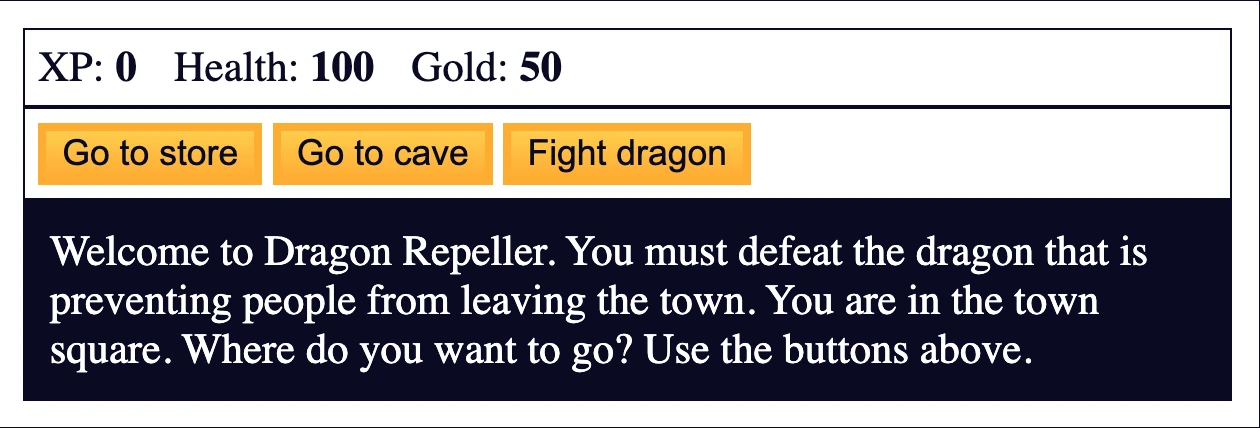
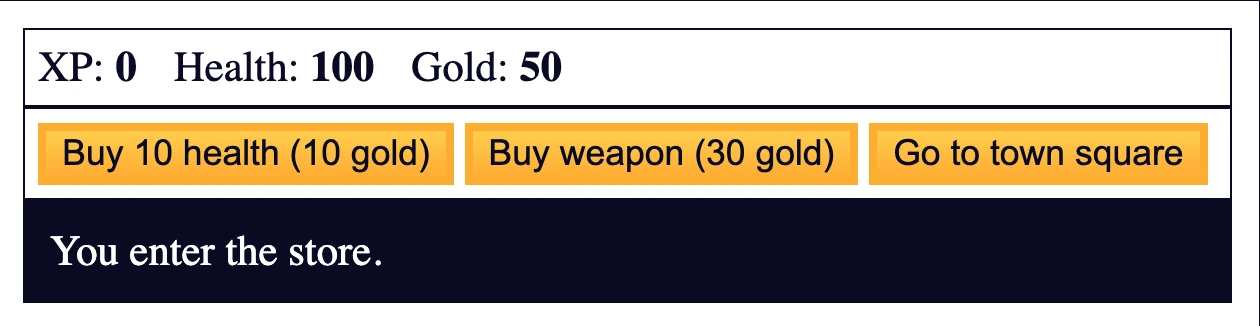
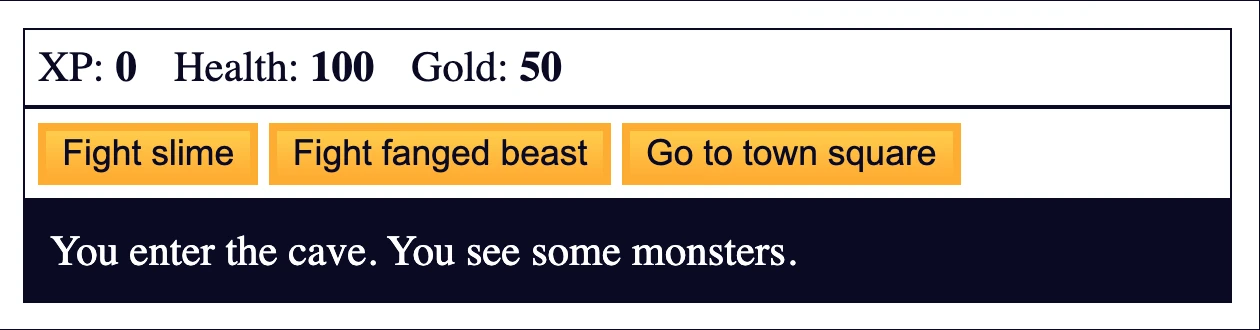
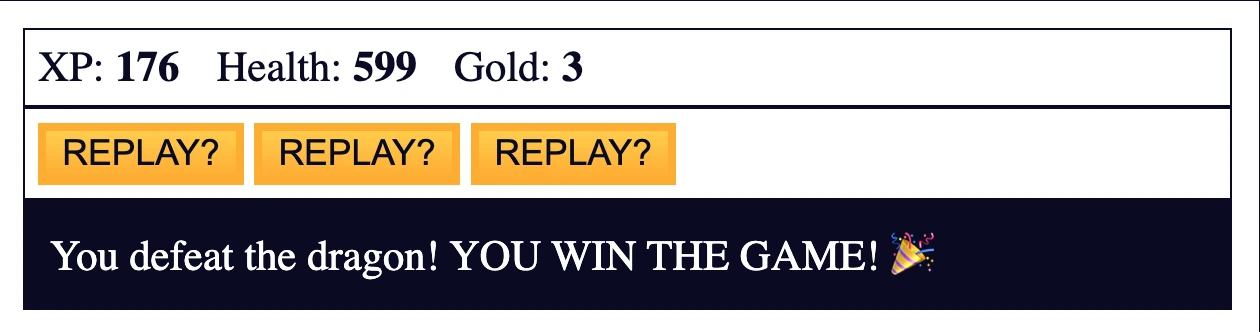
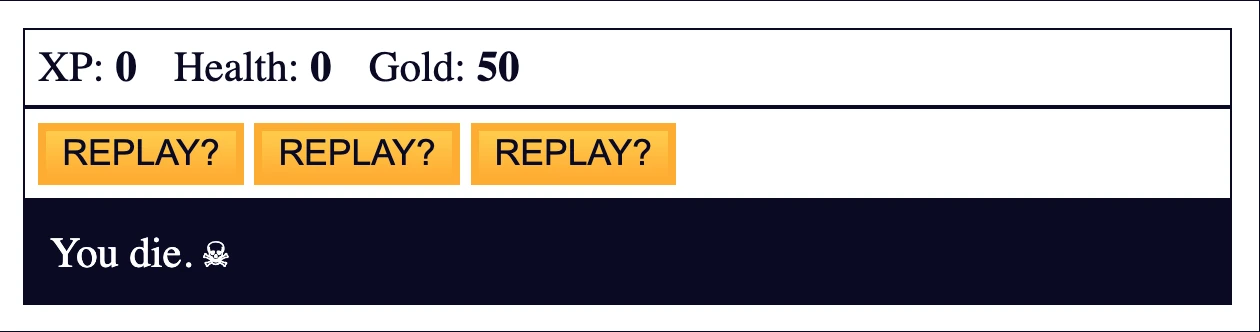
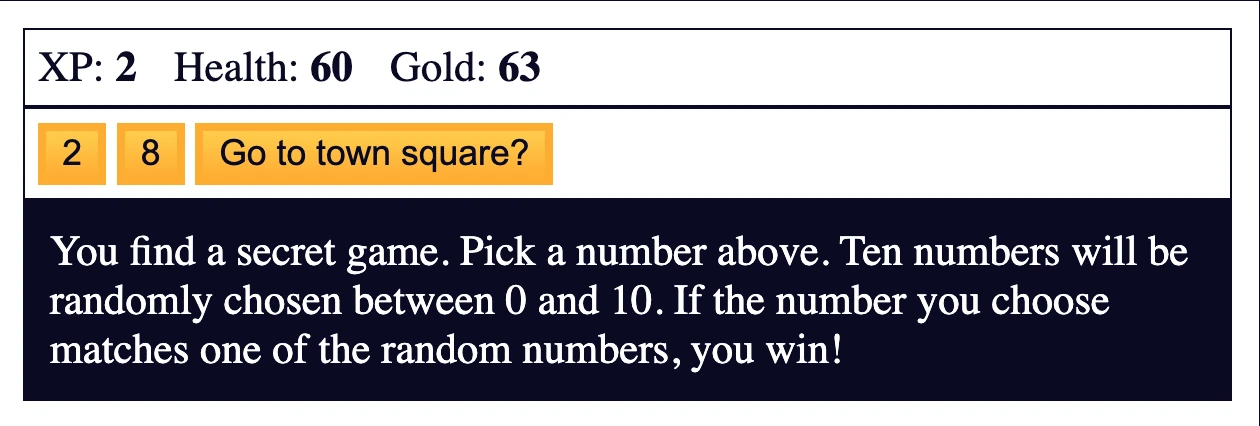
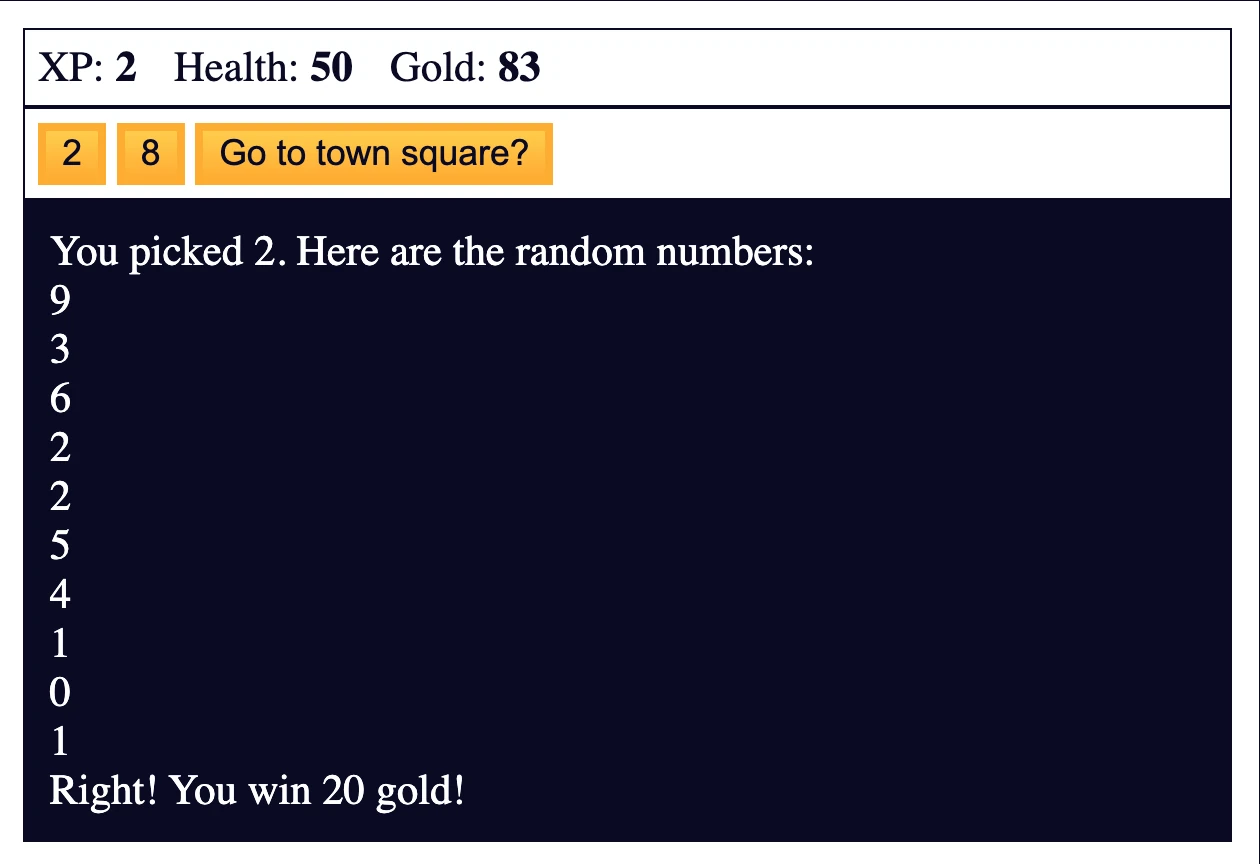
Dragon Repeller RPG sviluppato integrando JavaScript con HTML e CSS, con sistema di combattimento, gestione dell’inventario, più location e meccaniche di gioco complete. Il primo progetto che unisce logica, interfaccia e interazione con l’utente.
Codice Sorgente
- index.html
- styles.css
- script.js
<!DOCTYPE html>
<html lang="en">
  <head>
    <meta charset="utf-8">
    <link rel="stylesheet" href="./styles.css">
    <title>RPG - Dragon Repeller</title>
  </head>
  <body>
    <div id="game">
      <div id="stats">
        <span class="stat">XP: <strong><span id="xpText">0</span></strong></span>
        <span class="stat">Health: <strong><span id="healthText">100</span></strong></span>
        <span class="stat">Gold: <strong><span id="goldText">50</span></strong></span>
      </div>
      <div id="controls">
        <button id="button1">Go to store</button>
        <button id="button2">Go to cave</button>
        <button id="button3">Fight dragon</button>
      </div>
      <div id="monsterStats">
        <span class="stat">Monster Name: <strong><span id="monsterName"></span></strong></span>
        <span class="stat">Health: <strong><span id="monsterHealth"></span></strong></span>
      </div>
      <div id="text">
        Welcome to Dragon Repeller. You must defeat the dragon that is preventing people from leaving the town. You are in the town square. Where do you want to go? Use the buttons above.
      </div>
    </div>
    <script src="./script.js"></script>
  </body>
</html>
body {
  background-color: #0a0a23;
}

#text {
  background-color: #0a0a23;
  color: #ffffff;
  padding: 10px;
}

#game {
  max-width: 500px;
  max-height: 400px;
  background-color: #ffffff;
  color: #ffffff;
  margin: 30px auto 0px;
  padding: 10px;
}

#controls,
#stats {
  border: 1px solid #0a0a23;
  padding: 5px;
  color: #0a0a23;
}

#monsterStats {
  display: none;
  border: 1px solid #0a0a23;
  padding: 5px;
  color: #ffffff;
  background-color: #c70d0d;
}

.stat {
  padding-right: 10px;
}

button {
  cursor: pointer;
  color: #0a0a23;
  background-color: #feac32;
  background-image: linear-gradient(#fecc4c, #ffac33);
  border: 3px solid #feac32;
}
let xp = 0;
let health = 100;
let gold = 50;
let currentWeapon = 0;
let fighting;
let monsterHealth;
let inventory = ["stick"];

const button1 = document.querySelector('#button1');
const button2 = document.querySelector("#button2");
const button3 = document.querySelector("#button3");
const text = document.querySelector("#text");
const xpText = document.querySelector("#xpText");
const healthText = document.querySelector("#healthText");
const goldText = document.querySelector("#goldText");
const monsterStats = document.querySelector("#monsterStats");
const monsterName = document.querySelector("#monsterName");
const monsterHealthText = document.querySelector("#monsterHealth");
const weapons = [
  { name: 'stick', power: 5 },
  { name: 'dagger', power: 30 },
  { name: 'claw hammer', power: 50 },
  { name: 'sword', power: 100 }
];
const monsters = [
  {
    name: "slime",
    level: 2,
    health: 15
  },
  {
    name: "fanged beast",
    level: 8,
    health: 60
  },
  {
    name: "dragon",
    level: 20,
    health: 300
  }
]
const locations = [
  {
    name: "town square",
    "button text": ["Go to store", "Go to cave", "Fight dragon"],
    "button functions": [goStore, goCave, fightDragon],
    text: "You are in the town square. You see a sign that says \"Store\"."
  },
  {
    name: "store",
    "button text": ["Buy 10 health (10 gold)", "Buy weapon (30 gold)", "Go to town square"],
    "button functions": [buyHealth, buyWeapon, goTown],
    text: "You enter the store."
  },
  {
    name: "cave",
    "button text": ["Fight slime", "Fight fanged beast", "Go to town square"],
    "button functions": [fightSlime, fightBeast, goTown],
    text: "You enter the cave. You see some monsters."
  },
  {
    name: "fight",
    "button text": ["Attack", "Dodge", "Run"],
    "button functions": [attack, dodge, goTown],
    text: "You are fighting a monster."
  },
  {
    name: "kill monster",
    "button text": ["Go to town square", "Go to town square", "Go to town square"],
    "button functions": [goTown, goTown, easterEgg],
    text: 'The monster screams "Arg!" as it dies. You gain experience points and find gold.'
  },
  {
    name: "lose",
    "button text": ["REPLAY?", "REPLAY?", "REPLAY?"],
    "button functions": [restart, restart, restart],
    text: "You die. ☠"
  },
  {
    name: "win",
    "button text": ["REPLAY?", "REPLAY?", "REPLAY?"],
    "button functions": [restart, restart, restart],
    text: "You defeat the dragon! YOU WIN THE GAME! 🎉"
  },
  {
    name: "easter egg",
    "button text": ["2", "8", "Go to town square?"],
    "button functions": [pickTwo, pickEight, goTown],
    text: "You find a secret game. Pick a number above. Ten numbers will be randomly chosen between 0 and 10. If the number you choose matches one of the random numbers, you win!"
  }
];

// initialize buttons
button1.onclick = goStore;
button2.onclick = goCave;
button3.onclick = fightDragon;

function update(location) {
  monsterStats.style.display = "none";
  button1.innerText = location["button text"][0];
  button2.innerText = location["button text"][1];
  button3.innerText = location["button text"][2];
  button1.onclick = location["button functions"][0];
  button2.onclick = location["button functions"][1];
  button3.onclick = location["button functions"][2];
  text.innerHTML = location.text;
}

function goTown() {
  update(locations[0]);
}

function goStore() {
  update(locations[1]);
}

function goCave() {
  update(locations[2]);
}

function buyHealth() {
  if (gold >= 10) {
    gold -= 10;
    health += 10;
    goldText.innerText = gold;
    healthText.innerText = health;
  } else {
    text.innerText = "You do not have enough gold to buy health.";
  }
}

function buyWeapon() {
  if (currentWeapon < weapons.length - 1) {
    if (gold >= 30) {
      gold -= 30;
      currentWeapon++;
      goldText.innerText = gold;
      let newWeapon = weapons[currentWeapon].name;
      text.innerText = "You now have a " + newWeapon + ".";
      inventory.push(newWeapon);
      text.innerText += " In your inventory you have: " + inventory;
    } else {
      text.innerText = "You do not have enough gold to buy a weapon.";
    }
  } else {
    text.innerText = "You already have the most powerful weapon!";
    button2.innerText = "Sell weapon for 15 gold";
    button2.onclick = sellWeapon;
  }
}

function sellWeapon() {
  if (inventory.length > 1) {
    gold += 15;
    goldText.innerText = gold;
    let currentWeapon = inventory.shift();
    text.innerText = "You sold a " + currentWeapon + ".";
    text.innerText += " In your inventory you have: " + inventory;
  } else {
    text.innerText = "Don't sell your only weapon!";
  }
}

function fightSlime() {
  fighting = 0;
  goFight();
}

function fightBeast() {
  fighting = 1;
  goFight();
}

function fightDragon() {
  fighting = 2;
  goFight();
}

function goFight() {
  update(locations[3]);
  monsterHealth = monsters[fighting].health;
  monsterStats.style.display = "block";
  monsterName.innerText = monsters[fighting].name;
  monsterHealthText.innerText = monsterHealth;
}

function attack() {
  text.innerText = "The " + monsters[fighting].name + " attacks.";
  text.innerText += " You attack it with your " + weapons[currentWeapon].name + ".";
  health -= getMonsterAttackValue(monsters[fighting].level);
  if (isMonsterHit()) {
    monsterHealth -= weapons[currentWeapon].power + Math.floor(Math.random() * xp) + 1;
  } else {
    text.innerText += " You miss.";
  }
  healthText.innerText = health;
  monsterHealthText.innerText = monsterHealth;
  if (health <= 0) {
    lose();
  } else if (monsterHealth <= 0) {
    if (fighting === 2) {
      winGame();
    } else {
      defeatMonster();
    }
  }
  if (Math.random() <= .1 && inventory.length !== 1) {
    text.innerText += " Your " + inventory.pop() + " breaks.";
    currentWeapon--;
  }
}

function getMonsterAttackValue(level) {
  const hit = (level * 5) - (Math.floor(Math.random() * xp));
  console.log(hit);
  return hit > 0 ? hit : 0;
}

function isMonsterHit() {
  return Math.random() > .2 || health < 20;
}

function dodge() {
  text.innerText = "You dodge the attack from the " + monsters[fighting].name;
}

function defeatMonster() {
  gold += Math.floor(monsters[fighting].level * 6.7);
  xp += monsters[fighting].level;
  goldText.innerText = gold;
  xpText.innerText = xp;
  update(locations[4]);
}

function lose() {
  update(locations[5]);
}

function winGame() {
  update(locations[6]);
}

function restart() {
  xp = 0;
  health = 100;
  gold = 50;
  currentWeapon = 0;
  inventory = ["stick"];
  goldText.innerText = gold;
  healthText.innerText = health;
  xpText.innerText = xp;
  goTown();
}

function easterEgg() {
  update(locations[7]);
}

function pickTwo() {
  pick(2);
}

function pickEight() {
  pick(8);
}

function pick(guess) {
  const numbers = [];
  while (numbers.length < 10) {
    numbers.push(Math.floor(Math.random() * 11));
  }
  text.innerText = "You picked " + guess + ". Here are the random numbers:\n";
  for (let i = 0; i < 10; i++) {
    text.innerText += numbers[i] + "\n";
  }
  if (numbers.includes(guess)) {
    text.innerText += "Right! You win 20 gold!";
    gold += 20;
    goldText.innerText = gold;
  } else {
    text.innerText += "Wrong! You lose 10 health!";
    health -= 10;
    healthText.innerText = health;
    if (health <= 0) {
      lose();
    }
  }
}
L’esperienza più impegnativa
È stato il progetto più lungo e stancante fatto finora. È stato difficile entrare nella logica di JavaScript e ancora non mi sento del tutto a mio agio.
A metà progetto mi sono preso un giorno intero di pausa, in cui ho letto solo qualche pagina di Refactoring UI: ne avevo bisogno per ricaricarmi.
I momenti di gioia
Appena iniziato il progetto sono partito con grande energia scrivendo HTML e CSS e, con la stessa energia, ho assegnato gli elementi HTML al JavaScript, come i button.
Ammetto che anche funzioni e cicli if/else mi hanno divertito (anche se meno rispetto alle aree citate prima), forse perché ripetendoli continuamente durante il progetto ho iniziato a sentirmi sicuro — ed è proprio questa sensazione che mi dà gioia mentre lavoro.
Il tallone d’Achille
I for loop sono il mio tallone d’Achille. Vanno meglio rispetto al progetto precedente, ma non riesco ancora a raggiungere il livello di astrazione che richiedono.
Una scoperta incoraggiante
Ho fatto qualche ricerca e ho scoperto che per una mente da designer è normale trovare i for loop più difficili, soprattutto rispetto agli if/else. Sono sicuro che lungo il corso, con tutti i progetti che ci saranno, imparerò a padroneggiarli completamente.
Cosa Ho Imparato
DOM Manipulation:
- document.querySelector() per selezionare elementi HTML
- eventi onclick per gestire le interazioni dell’utente
- innerText e innerHTML per aggiornare dinamicamente i contenuti
- style.display per mostrare/nascondere elementi
Game Logic:
- State management con variabili globali
- Array di oggetti per armi, mostri e location
- Aggiornamenti dinamici della UI in base allo stato del gioco
- Flusso di gioco condizionale con più location
JavaScript Avanzato:
- Math.random() per elementi casuali
- Array methods (
push,pop,shift,includes) - Condizionali complessi per le meccaniche di gioco
- Function composition per sistemi interconnessi
Integrazione HTML/CSS/JS:
- Comportamento responsive dei button con JavaScript
- Aggiornamenti dinamici dei contenuti mantenendo lo stile CSS
- Event handling per le interazioni utente
- Visualizzazione delle statistiche in tempo reale sincronizzata con lo stato del gioco
Pattern di sviluppo osservati
Architettura del gioco:
- Sistema di location – ogni location ha testi dei button e funzioni dedicate
- Pattern di update – una funzione centrale che aggiorna l’intera UI
- Persistenza dello stato – variabili globali per mantenere i progressi
Sistema di combattimento:
- Logica a turni con opzioni di attacco/difesa/fuga
- Calcolo del danno tramite formule matematiche
- Elementi casuali per aumentare la varietà del gameplay
Riflessione
Sono contento della sicurezza che ho sviluppato con funzioni e cicli if/else, mi dà fiducia sul fatto che anche i loop diventeranno naturali con la pratica.
Prossimo Progetto: Imparare il Basic Debugging costruendo un Random Background Color Changer